On-Page SEO Guide 2026: Complete Ranking Checklist
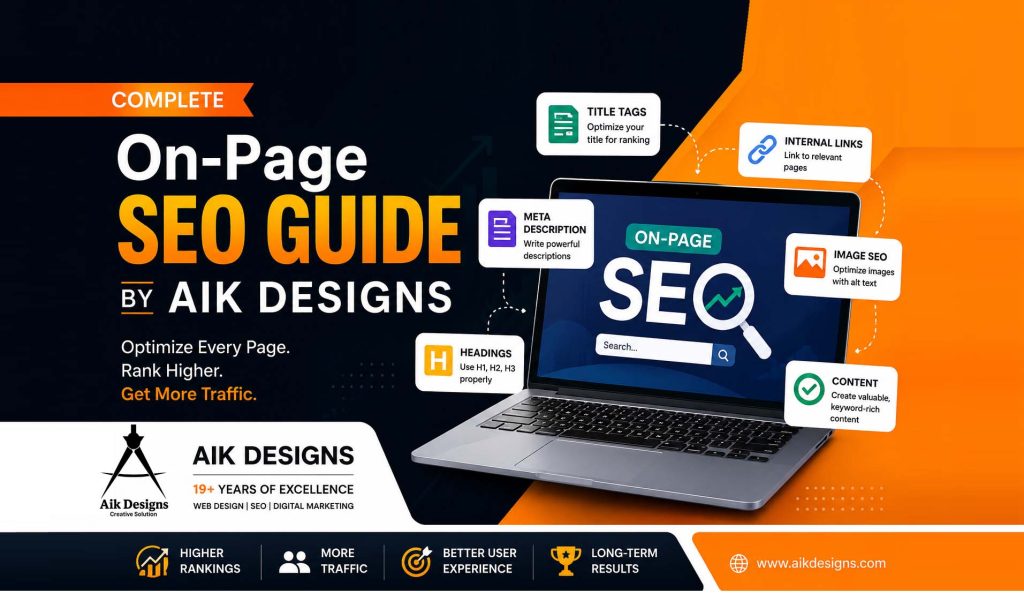
Great content that nobody can find or understand isn’t great SEO. On-page SEO is the set of optimizations you make directly on a web page — title tags, headings, content, URLs, images, internal links, and schema — so that both search engines and readers understand exactly what the page is about and why it deserves to rank. This guide covers every element of on-page SEO for 2026: the fundamentals, the newer AI-search factors, a complete checklist, tools, common mistakes, and every related keyword and search term worth targeting.
⚡ Quick Facts: On-Page SEO in 2026
- 📝 Google rewrites title tags roughly 33% of the time — titles over 60 characters are far more likely to be rewritten
- 🖇️ A sensible internal linking guideline is 3–5 links per 1,000 words using descriptive anchor text
- ⚡ Core Web Vitals (LCP, INP, CLS) are confirmed Google ranking signals, not optional extras
- 🤖 Google AI Overviews now appear for an estimated 30–40% of queries
- 🔒 Trust is the foundation of E-E-A-T — a page that fails on trust cannot be offset by scoring well elsewhere
- 📊 Every important page should be reachable within 3 clicks from the homepage
Table of Contents
- What Is On-Page SEO?
- On-Page SEO vs Off-Page SEO vs Technical SEO
- Search Intent: The Foundation of Every On-Page Element
- Step-by-Step On-Page SEO Framework
- Title Tags & Meta Descriptions
- Headings (H1–H6) & Content Structure
- URL Structure Best Practices
- Content Optimization & Keyword Placement
- Internal Linking & Topic Clusters
- External Linking
- Image & Media Optimization
- Schema Markup & Rich Results
- Core Web Vitals & Page Experience
- E-E-A-T: Experience, Expertise, Authority, Trust
- On-Page SEO for AI Search & AI Overviews
- Complete On-Page SEO Checklist (30+ Points)
- Best On-Page SEO Tools
- Common On-Page SEO Mistakes to Avoid
- On-Page SEO for the India & Pakistan Market
- Longtail Keywords & Search Terms for On-Page SEO
- Frequently Asked Questions
- Conclusion
1. What Is On-Page SEO?
On-page SEO (also called on-site SEO) covers every optimization you make directly on a web page to help it rank higher and earn more relevant clicks. This includes the content itself, HTML elements like title tags and headings, URL structure, internal links, images, and structured data. It sits at the intersection of content, HTML, and user experience — every optimization you make should simultaneously help a search engine understand the page and help a human get their answer faster.
2. On-Page SEO vs Off-Page SEO vs Technical SEO
| Type | What It Covers | Examples |
|---|---|---|
| On-Page SEO | Elements on the page itself | Titles, headings, content, URLs, images, schema, internal links |
| Off-Page SEO | External authority signals | Backlinks, brand mentions, digital PR, social signals |
| Technical SEO | Crawling, indexing, site infrastructure | Robots.txt, sitemaps, site speed, mobile-first indexing, canonicalization |
All three work together. For a deeper look at the authority-building side of this equation, read our guide on how off-page SEO impacts your website, and for the backlink side specifically, see our complete link building guide.
3. Search Intent: The Foundation of Every On-Page Element
Before writing a single word, identify what the searcher actually wants. Every on-page decision — content format, length, headings, even the images you choose — should flow from this.
| Intent Type | What the Searcher Wants | Best Content Format |
|---|---|---|
| Informational | An answer or explanation | Guide, how-to, definition page |
| Comparison | Which option is best | Comparison table, “X vs Y” post |
| Transactional | Ready to buy or sign up | Product/service page, pricing page |
| Navigational | A specific brand or page | Homepage, branded landing page |
Practical rule: Google your target keyword and study the top 3-5 results before writing. If they’re all listicles, write a listicle. If they’re all step-by-step guides, match that format — fighting search intent is the single most common reason well-written content never ranks.
4. Step-by-Step On-Page SEO Framework
Step 1: Define Search Intent and the Primary Keyword
Write one sentence: “This page helps [who] do [what] in [where/when].” This keeps every later decision anchored to a single clear purpose.
Step 2: Optimize Title Tag, H1, and URL
Write a concise title under 60 characters with the primary keyword near the front, a matching H1, and a short, descriptive URL slug.
Step 3: Structure Content With Logical Headings
Build an H2/H3 outline that mirrors the exact questions a reader would ask, in the order they’d ask them.
Step 4: Write the Content
Answer the heading’s question directly in the first sentence beneath it (BLUF — Bottom Line Up Front), then expand with detail, examples, and data.
Step 5: Add Internal and External Links
Link to 2-6 genuinely relevant internal pages with descriptive anchor text, and cite 1-3 authoritative external sources.
Step 6: Optimize Images and Media
Compress images to WebP, use descriptive file names, and write specific alt text for every image.
Step 7: Add Schema Markup
Implement the schema type that matches your content — Article, FAQPage, HowTo, Product, or LocalBusiness.
Step 8: Check Core Web Vitals
Run the page through PageSpeed Insights and fix LCP, INP, and CLS issues before publishing.
Step 9: Review for AI-Search Readiness
Confirm the page has a direct-answer opening paragraph, short paragraphs, tables or lists where appropriate, and FAQ schema.
5. Title Tags & Meta Descriptions
Title tags: Keep them under 60 characters with the primary keyword near the start. Ahrefs’ analysis of over 950,000 pages found Google rewrites title tags roughly a third of the time, and titles over 60 characters are far more likely to be rewritten. If Google keeps rewriting yours, check your H1 — Google uses it as a title replacement in a majority of rewrite cases.
Meta descriptions: Write a unique 150-160 character description per page that naturally includes the primary keyword, highlights the main benefit, and ends with a call to action. Meta descriptions don’t directly influence rankings, but they strongly influence click-through rate, which does correlate with performance over time.
6. Headings (H1–H6) & Content Structure
Use exactly one H1 per page that clearly states the main topic, followed by a logical H2/H3 hierarchy — never skip from H1 straight to H4. Google’s own guidance confirms heading structure alone has minimal direct ranking weight; its real value is helping readers (and AI systems) navigate and extract your content quickly. Include keywords in headings where they fit naturally — never force them.
7. URL Structure Best Practices
- Keep slugs short, descriptive, and keyword-rich (e.g.
/on-page-seo/not/post-id-4471/) - Separate words with hyphens, never underscores
- Avoid dates, query strings, and random IDs that can become outdated
- Skip unnecessary stop words
- If you ever change a URL, set up a 301 redirect from the old one to preserve ranking power
8. Content Optimization & Keyword Placement
Use your primary keyword naturally in the first 100 words, then weave in related terms and supporting subtopics throughout — this is where LSI (Latent Semantic Indexing) and semantically related keywords matter most. Placement matters as much as frequency: the content directly beneath each H2 should answer that heading’s implicit question immediately, using the specific terms that define it. Optimize content length based on what’s already ranking for your target keyword rather than an arbitrary word count target.
9. Internal Linking & Topic Clusters
Internal links distribute page authority (“link equity”) and help both users and search engines navigate your site. Best practices:
- Add 3-5 internal links per 1,000 words using descriptive, natural anchor text
- Link from high-traffic pages to the pages you most want to rank
- Fix orphan pages — every page should be linked from at least one other page
- Use the pillar + cluster model: one comprehensive pillar page linked to and from several detailed cluster pages
- Keep every important page reachable within 3 clicks of the homepage
See our keyword research guide for how to plan a full topic cluster before you start building internal links.
10. External Linking
Many site owners avoid linking out, worried it “leaks” authority. Controlled experiments testing this directly found the opposite — pages linking to authoritative external sources performed as well or better than pages with no outbound links. Link out to credible, relevant sources to add context and trust signals for readers and search engines alike.
11. Image & Media Optimization
- Use descriptive file names (
on-page-seo-checklist.webp, notIMG_4471.jpg) - Compress to WebP format and serve through a CDN
- Write specific alt text describing the image’s purpose in context; use empty alt text for purely decorative images
- Set explicit width and height on every image to prevent layout shift
- Add a preload tag for your largest above-the-fold (LCP) image
12. Schema Markup & Rich Results
Schema markup (structured data) helps search engines understand context and unlocks rich results — star ratings, FAQ dropdowns, how-to steps, and breadcrumbs. Common types to implement:
- Article schema — blog posts and news content
- FAQPage schema — any page with a genuine Q&A section
- HowTo schema — step-by-step guides and tutorials
- BreadcrumbList schema — site navigation hierarchy
- Product / LocalBusiness schema — e-commerce and local service pages
13. Core Web Vitals & Page Experience
Core Web Vitals are Google’s official user experience metrics and a confirmed ranking signal. A large-scale Deloitte and Google study analyzing over 30 million user sessions found that even a 0.1 second speed improvement produced measurable gains in engagement and conversions.
| Metric | What It Measures | How to Fix It |
|---|---|---|
| LCP (Largest Contentful Paint) | Load speed of main content | Compress hero images, preload the LCP image, use a CDN |
| INP (Interaction to Next Paint) | Responsiveness to interaction | Defer non-critical scripts, avoid long main-thread tasks |
| CLS (Cumulative Layout Shift) | Visual stability while loading | Set explicit width/height on images and ad slots |
14. E-E-A-T: Experience, Expertise, Authority, Trust
E-E-A-T is Google’s framework for judging content quality, and it’s especially important for YMYL (Your Money or Your Life) topics like health, finance, and legal content.
- Experience: Demonstrated through real examples, screenshots, and first-hand results
- Expertise: Shown through qualified author bios and deep topical coverage
- Authoritativeness: Built through backlinks, mentions, and recognition from other credible sites
- Trustworthiness: Comes from transparency, site security (SSL), clear contact information, and credible sourcing
Google has confirmed that trust is foundational — a page that fails on trust cannot be compensated for by scoring well on the other three signals. Every published page should include a real author byline with credentials, which is why every Aik Designs blog post closes with a founder attribution section.
15. On-Page SEO for AI Search & AI Overviews
Google AI Overviews now appear for an estimated 30-40% of queries, and tools like ChatGPT Search and Perplexity are growing fast as discovery channels. The good news: the same on-page fundamentals that help traditional rankings also help AI-agent visibility.
- Answer the core question directly in the first paragraph (BLUF format)
- Use short paragraphs of 2-4 sentences — long, dense blocks are harder for AI to extract and cite
- Structure information in tables and numbered lists, which AI systems prefer to quote
- Add FAQ sections with FAQPage schema on every informational page
- Confirm your robots.txt does not block AI crawlers (GPTBot, ClaudeBot, PerplexityBot)
- Implement Organization schema on your homepage to connect your site to a brand entity
For a full breakdown of AI-search optimization tactics, read our SEO and AI optimization strategy guide.
16. Complete On-Page SEO Checklist (30+ Points)
- Target keyword identified with clear search intent
- Title tag under 60 characters, keyword near the front
- Meta description 150-160 characters with a call to action
- URL slug short, descriptive, hyphen-separated
- Single, clear H1 matching the title’s intent
- Logical H2/H3 hierarchy, no skipped levels
- Primary keyword used naturally in the first 100 words
- Related and semantic (LSI) keywords used throughout
- Content matches the search intent format of top-ranking pages
- Content length benchmarked against top-ranking competitors
- 3-5 internal links per 1,000 words with descriptive anchor text
- No orphan pages — every page linked from elsewhere on the site
- 1-3 external links to authoritative, relevant sources
- All images compressed and served as WebP
- Descriptive file names on every image
- Specific alt text on every meaningful image
- Explicit width/height set on images to prevent layout shift
- Article/FAQPage/HowTo schema implemented where relevant
- BreadcrumbList schema implemented
- Core Web Vitals (LCP, INP, CLS) pass PageSpeed Insights
- Mobile-first rendering checked and confirmed
- Canonical tag set correctly, no duplicate content conflicts
- Author byline with real credentials included
- Transparent contact and business information visible
- SSL/HTTPS enabled site-wide
- Table of contents added for long-form articles
- FAQ section with FAQPage schema for informational pages
- Direct-answer opening paragraph (BLUF) for AI extractability
- Short paragraphs (2-4 sentences) throughout
- Tables/lists used for comparison or step-based content
- robots.txt confirmed not blocking AI crawlers
- 301 redirects in place for any changed URLs
- 404 page optimized to retain visitors
17. Best On-Page SEO Tools
- Screaming Frog / Sitebulb — full-site crawls revealing missing metadata, broken links, and duplicate content
- Google Search Console — indexing status, Core Web Vitals report, and query-level performance
- PageSpeed Insights / Chrome DevTools — Core Web Vitals diagnostics and fixes
- Ahrefs / Semrush — on-page content scoring, keyword gap analysis, and competitor benchmarking
- Yoast SEO / RankMath — real-time on-page checks for WordPress sites
For a full breakdown of free vs paid options across every SEO category, see our 15 Best SEO Tools guide.
18. Common On-Page SEO Mistakes to Avoid
- ❌ Keyword stuffing instead of natural language and topic coverage
- ❌ Duplicate title tags or meta descriptions across multiple pages
- ❌ Multiple H1 tags or skipped heading levels
- ❌ Ignoring search intent and publishing the wrong content format
- ❌ Unoptimized, oversized images slowing down Core Web Vitals
- ❌ Orphan pages with zero internal links pointing to them
- ❌ Missing or generic alt text on meaningful images
- ❌ No schema markup on FAQ or how-to content
- ❌ Thin content that doesn’t fully answer the query
- ❌ Ignoring mobile-first rendering and page experience
19. On-Page SEO for the India & Pakistan Market
For businesses targeting India and Pakistan specifically, on-page SEO needs a few regional considerations layered on top of the fundamentals:
- Optimize for mobile-first experiences — the overwhelming majority of search traffic in both markets is mobile
- Prioritize page speed aggressively, since average mobile connection speeds are lower than in Western markets
- Include city-specific and regional keywords naturally in headings and content for local relevance
- Add local business schema (NAP — name, address, phone) for location-based trust signals
- Write content that reflects local currency, terminology, and search behavior rather than direct-translated global content
20. Longtail Keywords & Related Search Terms for On-Page SEO
Here is a comprehensive keyword, longtail, and LSI list covering this topic — useful for building your own on-page SEO content cluster:
- on-page seo
- on-page seo checklist
- on page seo guide 2026
- what is on-page seo
- on-page vs off-page seo
- on-page seo vs technical seo
- title tag optimization
- meta description best practices
- meta description length
- title tag length seo
- heading structure seo
- h1 tag seo best practices
- url structure best practices
- seo friendly url slug
- keyword placement in content
- lsi keywords
- semantic seo keywords
- internal linking best practices
- internal link building strategy
- topic cluster seo
- pillar page and cluster content
- external linking seo
- image seo alt text
- image optimization for seo
- schema markup for seo
- structured data for rich results
- faq schema markup
- howto schema
- core web vitals seo
- largest contentful paint optimization
- interaction to next paint
- cumulative layout shift fix
- page speed and seo ranking
- e-e-a-t seo
- experience expertise authority trust
- content quality signals google
- ai overview optimization
- seo for ai search
- generative engine optimization
- geo optimization seo
- ai search visibility content
- on-page seo audit
- on-page seo tools
- on-page seo mistakes
- content length seo
- search intent optimization
- keyword stuffing penalty
- duplicate title tag issue
- mobile-first indexing seo
- orphan page seo fix
- canonical tag seo
- featured snippet optimization
- on-page seo services
- on-page seo for wordpress
- on-page seo for ecommerce
21. Frequently Asked Questions
1. What is on-page SEO?
On-page SEO is the practice of optimizing individual web pages — titles, headings, content, URLs, images, internal links, and schema — so search engines and users can understand and rank them for relevant queries.
2. What is the difference between on-page and off-page SEO?
On-page SEO covers everything you control directly on your website. Off-page SEO covers external signals like backlinks, brand mentions, and social signals that build authority.
3. How long should a title tag be?
Keep title tags under 60 characters. Google rewrites titles that exceed this length in roughly a third of cases.
4. How long should a meta description be?
Aim for 150-160 characters, including the primary keyword and a call to action.
5. Do H1 tags still matter for rankings?
They help structure content for readers and give a clear topic signal, but controlled experiments show heading structure alone has minimal direct ranking impact. Use one clear H1 per page.
6. How many internal links should a page have?
A sensible guideline is 3-5 internal links per 1,000 words, using descriptive anchor text and linking only to genuinely relevant pages.
7. Does page speed affect on-page SEO?
Yes. Core Web Vitals are confirmed ranking signals, and studies link small speed improvements to measurable gains in engagement and conversions.
8. What is E-E-A-T and why does it matter?
E-E-A-T stands for Experience, Expertise, Authoritativeness, and Trustworthiness — Google’s framework for judging content quality. Trust is foundational and cannot be offset by scoring well elsewhere.
9. How does on-page SEO help with AI Overviews and AI search?
The same structural signals that help traditional search — clear headings, direct answers, FAQ schema, tables, and short paragraphs — make it easier for AI systems to extract and cite your content.
10. Should I link out to external websites?
Yes. Controlled experiments show linking to authoritative external sources does not leak ranking authority and can improve perceived trustworthiness.
11. What is keyword stuffing and should I avoid it?
Keyword stuffing is the unnatural, repetitive use of a keyword to manipulate rankings, and it should always be avoided in favor of natural, comprehensive topic coverage.
22. Conclusion
On-page SEO is the foundation everything else in your SEO strategy sits on top of — no amount of link building or technical fixes can compensate for a page with a weak title, poor structure, or content that doesn’t answer the searcher’s question. Use the 30-point checklist above to audit any page you want to rank, then revisit it every 90 days as part of an ongoing content refresh cycle.
Want a professional on-page SEO audit for your website? Explore our SEO Services, or read our related guides on keyword research, off-page SEO, and SEO + AI optimization strategy to build a complete, full-funnel ranking approach.
About Author