What Is Gemini AI? Complete Guide to Google’s AI Assistant
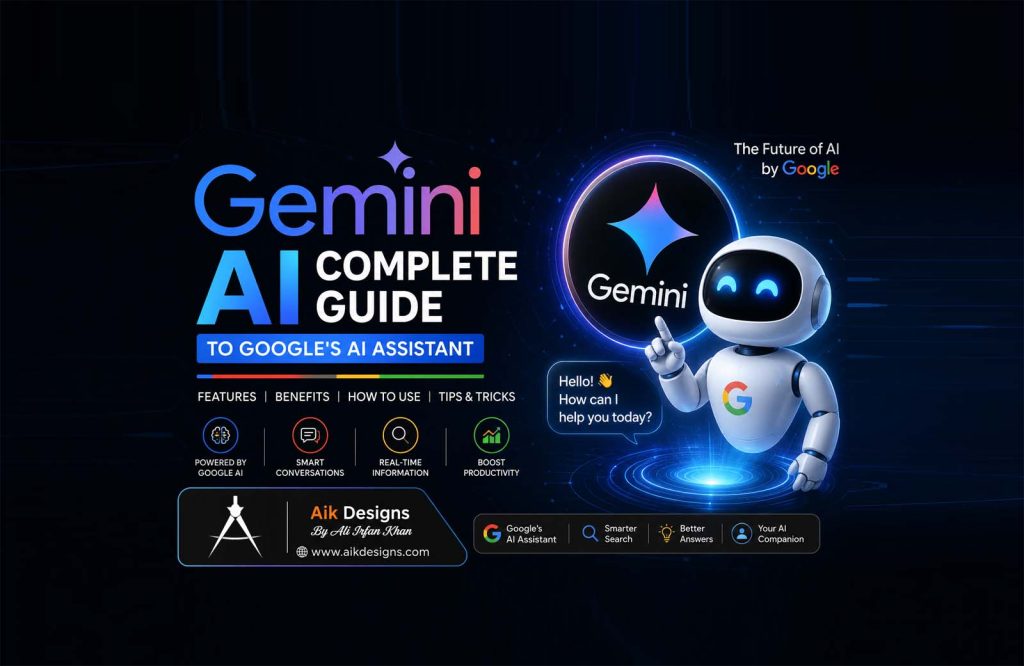
Gemini is Google’s answer to the AI assistant race, and unlike its competitors, it’s wired directly into the products billions of people already use every day — Search, Gmail, Docs, Chrome, and Android. This guide covers what Gemini AI actually is, its model lineup, current pricing, and how it stacks up against Claude, ChatGPT, and Perplexity.
🤖 Developer: Google (Google DeepMind)
📅 Launched: As Bard in March 2023, rebranded to Gemini in February 2024
🧠 Model family: Gemini 3.1 Pro, Gemini 3.6 Flash, Gemini Flash-Lite, Deep Think
💰 Free plan: Yes, with any Google Account
🌐 Access: Web, iOS, Android, Chrome, and built into Google Search & Workspace
📊 Context window: Up to 1 million tokens on paid plans
📑 Table of Contents
- What Is Gemini AI?
- Gemini AI Models Explained
- Gemini AI Pricing (2026)
- Gemini AI Products & Features
- How to Use Gemini AI: Step-by-Step
- Gemini AI vs ChatGPT vs Claude vs Perplexity
- Gemini AI for SEO, Content, and AI Overviews
- Is Gemini AI Available in Pakistan?
- Pros and Cons of Gemini AI
- Frequently Asked Questions
- Conclusion
1. What Is Gemini AI?
Gemini is Google’s family of AI models, built by Google DeepMind. It launched as Bard in March 2023 and was rebranded and relaunched as Gemini in February 2024. You can use it for free at gemini.google.com, through the iOS and Android apps, and it’s built directly into Google Search, Gmail, Docs, Sheets, Chrome, and Android devices.
Gemini’s biggest differentiator is integration. While other AI assistants operate as standalone destinations, Gemini is woven into products most people already use daily — which is also why Gemini quietly powers a huge share of the “AI Overviews” people now see at the top of Google search results.
2. Gemini AI Models Explained
| Model | Best For | Access |
|---|---|---|
| Gemini 3.1 Pro | Complex reasoning, world knowledge, and multimodal tasks | Free (limited) + all paid plans |
| Gemini 3.6 Flash | Everyday chat, agentic tasks, and coding — the app’s default model | Free + all paid plans |
| Gemini Flash-Lite | High-volume, latency-sensitive tasks | Primarily via API |
| Deep Think | Extended, high-compute reasoning on complex problems | Google AI Ultra only |
Beyond text, Gemini also includes native image generation (Nano Banana Pro), video generation (Veo), and music generation, all inside the same app and subscription.
3. Gemini AI Pricing (2026)
| Plan | Price | Who It’s For |
|---|---|---|
| Free | $0 | Anyone with a Google Account, everyday use |
| Google AI Plus | $4.99/mo | 2x higher usage than Free, plus video generation and Daily Brief |
| Google AI Pro | $19.99/mo | 4x higher usage, Gemini 3.1 Pro, Deep Research, 1M token context, 5TB storage |
| Google AI Ultra | From $99.99/mo (5x Pro usage) up to $199.99/mo (20x Pro usage) | Power users, Deep Think, priority access, 20TB+ storage |
Developers building with the Gemini API are billed per token through Google AI Studio or Vertex AI, with separate, usage-based rates for each model. Since API pricing changes frequently as new model versions ship, check the official Gemini API pricing page for current per-model rates before budgeting a project.
4. Gemini AI Products & Features
- Gemini app — the core chat experience on web, iOS, and Android
- Gemini in Google Search (AI Mode & AI Overviews) — AI-generated answers built into Search itself
- Gemini in Gmail, Docs, Sheets, and Vids — writing, organizing, and analysis inside Workspace
- Gemini in Chrome — a browsing assistant that understands the page you’re on
- Deep Research — multi-source research reports generated in minutes
- Gemini Notebook (NotebookLM) — a research and writing assistant for your own documents
- Google Antigravity & Jules — Google’s agentic development platform and asynchronous coding agent
- Google Flow, Nano Banana Pro & Veo — AI image, ai video, and creative generation tools
5. How to Use Gemini AI: Step-by-Step
Step 1: Open the Gemini app
Go to gemini.google.com or download the Gemini app, then sign in with any Google Account — no separate signup needed.
Step 2: Choose a plan
Start free, then upgrade to Google AI Plus, Pro, or Ultra depending on how much usage and which models you need.
Step 3: Start chatting
Type a prompt for whatever you need — a written draft, a question, an image, or a piece of code.
Step 4: Use Deep Research or Canvas for bigger tasks
Turn on Deep Research for in-depth, multi-source reports, or use Canvas to draft and refine documents and code interactively.
Step 5: Connect Gemini to your Google apps
Enable Gemini inside Gmail, Docs, Sheets, and Chrome so it can help directly where you already work.
6. Gemini AI vs ChatGPT vs Claude vs Perplexity
| Assistant | Built By | Known For |
|---|---|---|
| Gemini AI | Search & Workspace integration, native image/video generation | |
| Claude AI | Anthropic | Coding, long-document handling, careful reasoning |
| ChatGPT | OpenAI | Broad plugin ecosystem, built-in image generation |
| Perplexity | Perplexity AI | Real-time, citation-first answer engine built for search |
Gemini’s edge is context: it can plug straight into your inbox, documents, and browser. Claude tends to lead on coding and long, carefully structured writing. ChatGPT offers the widest plugin ecosystem. Perplexity is built specifically as a citation-first search and research tool. Most people end up using more than one, matched to the task.
7. Gemini AI for SEO, Content, and AI Overviews
Gemini has a unique advantage for Search Engine Optimization (SEO) : it’s the model family behind Google’s AI Overviews and AI Mode in Search, which means the content that performs well in traditional Google rankings and the content that gets surfaced in AI-generated answers are more closely linked than with any other assistant. Structuring content with clear headings, direct answers, and FAQ schema — the same approach used throughout this post — helps it get pulled into both classic search results and AI Overviews.
Gemini is also useful for the SEO workflow itself: keyword research, competitor content audits via Deep Research, drafting long-form posts, and generating structured data.
8. Is Gemini AI Available in Pakistan?
Yes — Gemini and Google’s paid AI plans are officially listed as available in Pakistan, along with 140+ other countries and territories, accessible through gemini.google.com, the mobile apps, and Google Search. As with any subscription service, it’s worth confirming supported payment methods for your region before upgrading to a paid plan.
9. Pros and Cons of Gemini AI
10. Frequently Asked Questions
What is Gemini AI used for?
Writing, research, coding, image and video generation, and studying — plus it powers AI features inside Gmail, Docs, Sheets, Chrome, and Google Search.
Is Gemini AI free to use?
Yes, the free Gemini app includes Flash-tier models, image generation, Deep Research, and Gemini Live with any Google Account.
What is the difference between Gemini and ChatGPT?
Gemini is built by Google with deep integration into Search, Gmail, and Chrome; ChatGPT is built by OpenAI with a broader plugin ecosystem.
What is the difference between Gemini and Claude?
Gemini focuses on Google ecosystem integration and multimodal generation; Claude is known for coding strength and long, carefully reasoned writing.
Does Gemini power Google’s AI Overviews?
Yes, AI Overviews and AI Mode in Search run on Gemini models, giving it direct access to live search results.
What are Gemini 3.1 Pro and Gemini Flash?
3.1 Pro is Google’s flagship model for complex reasoning; Flash models are faster, lighter versions used for everyday chat and coding.
Is Gemini AI available in Pakistan?
Yes, Gemini and Google’s paid AI plans are officially available in Pakistan.
How much does Google AI Pro cost?
$19.99 per month, including Gemini 3.1 Pro, Deep Research, a 1M token context window, and 5TB of storage.
What is Gemini Deep Research?
A feature that analyzes hundreds of web sources and compiles a cited report on a topic in minutes.
Can Gemini AI write SEO content?
Yes — keyword research, content drafting, FAQ generation, and schema markup are all common use cases.
Does Gemini AI have a mobile app?
Yes, native apps are available for iOS and Android.
What is Google Antigravity and Jules?
Google’s agent-first development platform and asynchronous coding agent, positioned against tools like GitHub Copilot and Claude Code.
 Ai Writing Tools For Ai SEO 2026
Conclusion
Gemini’s biggest strength isn’t any single feature — it’s how deeply it’s woven into the tools people already use every day, from Search to Gmail to Chrome. Whether you’re comparing it against Claude AI, evaluating it for SEO and AI Overview visibility, or just looking for a free AI assistant that lives inside your inbox, the Free plan at gemini.google.com is the easiest way to try it.
For more AI tool comparisons and Google, and Bing SEO guides, check out our related posts on Aik Designs’ SEO Blogs & Digital Marketing Resources hub.
About Author