Blooket Join: Blooket Login & Blooket/Play Full Guide
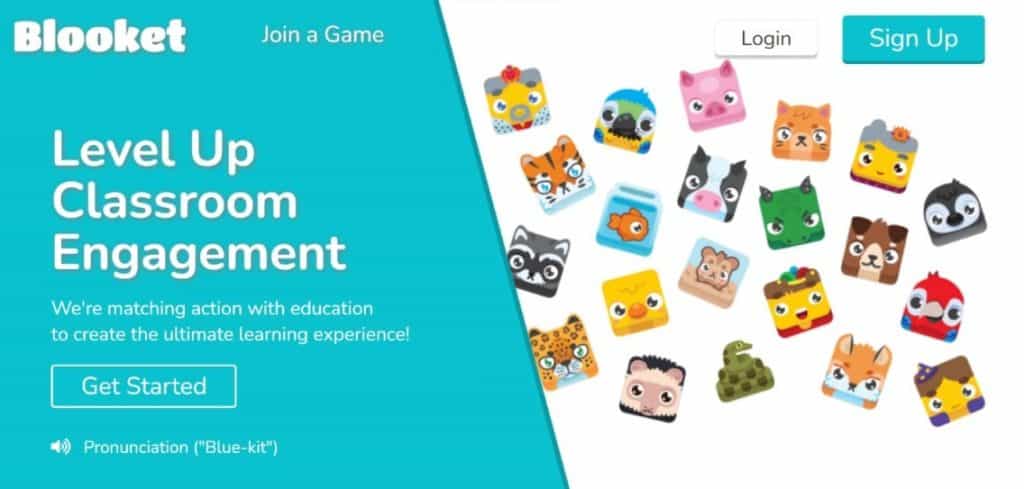
Blooket turns ordinary quiz questions into fast, colorful games, which is why teachers and students keep coming back to it. This guide covers everything you need: the Blooket join process, Blooket login, how Blooket/Play works, how to host a game, every popular game mode, and what to do when the join page will not let you in. Updated October 2026.
If you are a student, you usually need only a game code from your teacher. If you are a teacher, you need a free account to build sets and host games.
📑 Table Of Contents
- What Is Blooket Or Blooket/Play?
- Blooket Join: Who, What, When, Where, Why And How
- Blooket Join: How To Join A Blooket Game
- Blooket Login: How To Sign Up And Log In
- How To Host A Blooket Game
- How To Play Blooket
- Blooket Game Modes Explained
- What Are Blooks?
- 5 Tips For Winning At Blooket
- Blooket Game Codes: How They Really Work
- Is Blooket Free? Free Vs Blooket Plus
- Why Won’t Blooket Let Me Join? 8 Fixes
- Blooket Bots, Hacks And Fair Play
- Blooket Vs Gimkit Vs Kahoot
- Blooket Frequently Asked Questions
- Conclusion
1. What Is Blooket Or Blooket/Play?
Blooket is an online educational game platform where a quiz question set becomes a game. Players answer questions to earn coins, gold, crypto, fish or other rewards, depending on the game mode. The answers still matter, but the game layer is what keeps players engaged. Whether you study math, science, history or English, a Blooket set can cover it.
Blooket/Play is the shorthand people use for the join page, where a player types a game code to enter a live game. The official join page is play.blooket.com.
Blooket works in a classroom, at home for revision, or as homework. Teachers can build their own sets or use a large library of public sets made by other teachers, and students join from any modern browser on a laptop, tablet or phone, with nothing to install.
2. Blooket Join: Who, What, When, Where, Why And How
| Question | Answer |
|---|---|
| Who uses it? | Teachers who host games, students who join them, and anyone who wants to study with game-style quizzes. |
| What is it? | A free quiz-game platform with many game modes, plus an optional paid Plus plan. |
| When do you use it? | In class for review, at home for solo study, or as a homework assignment with a deadline. |
| Where do you join? | play.blooket.com for joining. blooket.com for login, sets and hosting. |
| Why is it popular? | It makes repetition feel like play, and the same question set can be reused in many different game modes. |
| How do you start? | Get a game code, open the join page, enter it, pick a nickname and Blook, then wait for the host to start. |
3. Blooket Join: How To Join A Blooket Game
Joining takes under a minute. Here is the exact flow for Blooket join.
Step 1: Get The Game Code From Your Host
Your teacher or game host creates a live game and gets a unique game code. They may also share a QR code or a direct join link instead.
Step 2: Open The Join Page
Open your browser and go to play.blooket.com. This is the official Blooket/Play page, and it works on a computer, tablet or phone.
Step 3: Enter The Game Code
Type the code into the box and press Join. If you scanned a QR code or clicked a join link, the code is filled in for you.
Step 4: Choose A Nickname And A Blook
Depending on the host’s settings, you will either type a nickname or be given a random one. Then pick your Blook, the character that represents you in the game.
Step 5: Wait In The Lobby, Then Play
When everyone has joined, the host starts the game and you follow the on-screen instructions for that mode.
💡 Tip: If you want your own Blooks and stats to count, log in to your Blooket account before you join. Joining without logging in works, but progress is not saved to an account.
⚠️ Warning: Do not pay anyone for a “game code” or share your Blooket password. Codes come free from your host.
4. Blooket Login: How To Sign Up And Log In
A Blooket login gives you a dashboard where you can create sets, host games, discover public sets, open Blooks, view stats and manage your account.
- Go to blooket.com in your browser.
- Click Sign Up to create an account, or Login if you already have one.
- Sign in with your email and password, or with Google where the option is shown.
- Choose a username and complete the short setup if you are a new user.
- Open your dashboard to see your sets, saved games, history and Blooks.
Teachers need an account to host. Students can join without one, but a student account lets them collect Blooks and track their stats.
ℹ️ Info: Forgot your password? Use the reset option on the login page and check your spam folder for the email.
5. How To Host A Blooket Game
- Log in at blooket.com.
- Pick one of your question sets, or search for a public set, and click Host.
- Choose a game mode that fits your lesson length.
- Adjust settings such as time limit, random names, late join and Blook choices.
- Click Host Now to create the game.
- Share the game code, join link or QR code with your players.
- When everyone is in, start the game and watch the live results.
After the game, review the results to see which questions the group missed, then reuse the same set in a different mode or assign it as homework.
6. How To Play Blooket
Playing Blooket is simple whether you are a student or just someone who enjoys playing games. Every mode follows the same idea: answer a question, get a reward or an action, and use it to get ahead.
- Read the question carefully. A fast wrong answer rarely helps.
- Answer correctly to earn rewards. Correct answers usually give coins, gold or other mode-specific progress.
- Use the mode’s special actions. Depending on the game, you may steal gold, upgrade towers, serve customers or hack rivals.
- Check the leaderboard. It shows how you compare, and the host can see results live.
- Review afterwards. Many hosts go through the missed questions to reinforce learning.
7. Blooket Game Modes Explained
Blooket has a large and changing list of modes, and new ones and seasonal ones are added over time, so the lineup you see can differ from this list. These are the popular ones.
| Mode | How It Plays | Best For |
|---|---|---|
| Gold Quest | Answer to open chests, gain gold and steal gold from other players. | Fast, competitive review |
| Tower Defense | Earn coins by answering, then buy and upgrade towers to stop waves of enemies. | Strategy lovers |
| Café | Serve customers and upgrade your café by answering questions correctly. | Quick practice |
| Factory | Build a factory of Blooks that earn cash as you answer. | Steady, cooperative-feeling play |
| Crypto Hack | Answer to earn crypto, then hack other players for their crypto. | Competitive groups |
| Fishing Frenzy | Answer questions to go fishing and collect catches. | Relaxed, fun rounds |
| Battle Royale | Answer quickly to outlast other players. | Quick-thinking groups |
| Racing | Move your Blook along a track with each correct answer. | Short sessions |
| Crazy Kingdom | Manage a kingdom as you answer questions. Often used solo or as homework. | Solo study |
| Tower Of Doom | Climb a tower and fight monsters by answering. Often used solo or as homework. | Solo study |
ℹ️ Info: Some modes are live-only, some are solo or homework-only, and some are Plus-only or seasonal. Check the mode preview on Blooket before you host.
8. What Are Blooks?
Blooks are the collectible characters you use as an avatar. You can unlock them by opening boxes with tokens you earn from playing, and a host can limit which Blooks players may choose in some modes. They are cosmetic, so they do not give a scoring advantage.
9. 5 Tips For Winning At Blooket
1. Pick A Mode That Matches The Goal
Choose a fast mode for quick review and a strategy mode for longer sessions. The right mode keeps everyone involved.
2. Study The Set First
You can study a set before the game. Knowing the answers is the biggest advantage in every mode.
3. Use Special Actions Wisely
Save steals, upgrades and boosts for the moments when they matter most instead of using them straight away.
4. Balance Speed And Accuracy
Speed can earn more, but a wrong answer can cost you. Read first, then answer.
5. Have Fun And Review Afterwards
Winning is nice, but the goal is learning. Go through the results with your class after the game.
10. Blooket Game Codes: How They Really Work
Many pages list “active Blooket codes”, but a game code belongs to one live session and stops working when that game ends. That is why this guide does not list codes: they would be out of date almost immediately. Always get the current code, join link or QR code from your host.
🚫 Caution: Websites that promise “working Blooket codes”, “free Blooks” or “premium accounts” are not official and can lead to scams or account theft. Use only blooket.com and play.blooket.com.
11. Is Blooket Free? Free Vs Blooket Plus
| Feature | Free | Blooket Plus |
|---|---|---|
| Create and host sets | Yes | Yes |
| Live game player limit | Up to 60 players | Higher limit, up to 300 in supported modes |
| Join any game | Yes | Yes |
| Game reports | Basic | More detailed |
| Extra modes and features | Core modes | Additional Plus features |
| Cost | Free | Paid subscription, see blooket.com for current pricing |
For most classrooms the free plan is enough. Look at Plus if you need bigger groups or deeper reports.
12. Why Won’t Blooket Let Me Join? 8 Fixes
- Incorrect game code. Re-type it carefully and check for a wrong digit.
- Game already started. You can join late only if the host turned on late join.
- Game full. Free lobbies have a player cap, so ask the host about a spot.
- Network issues. A weak connection blocks online games. Try a stronger Wi-Fi network.
- Browser or device problems. Update your browser, or try another one.
- Temporary Blooket outage. Wait a few minutes and try again.
- School network restrictions. Ask your teacher or IT department to approve Blooket.
- Host settings. The host may have limited who can join, so ask them to check the game settings.
💡 Tip: If nothing works, ask your teacher to create a fresh game and share a new code. It takes seconds.
13. Blooket Bots, Hacks And Fair Play
You may see tools that claim to auto-answer or flood a game. Blooket does not allow bots or tools that manipulate results, and using them can get an account suspended. They also ruin the game for everyone else and remove the learning that Blooket exists for.
🚫 Caution: Never run scripts or paste code from unknown sites into your browser. They are a common way to steal accounts.
14. Blooket Vs Gimkit Vs Kahoot
| Platform | Known For | Good Fit |
|---|---|---|
| Blooket | Many game modes and collectible Blooks | Teachers who want variety from one set |
| Gimkit | In-game money, upgrades and strategy | Longer review sessions. See Gimkit Join, Login And Host. |
| Kahoot | Simple, quiz-first live format | Quick whole-class quizzes |
15. Blooket Frequently Asked Questions
How do I do a Blooket join?
Go to play.blooket.com, type the game code the host gave you, choose a nickname if asked, pick a Blook and wait in the lobby until the host starts the game. You can also join by scanning the host’s QR code or opening their join link.
Do I need an account to join a Blooket game?
No. Students can join a live game with just the game code and a nickname. You only need to log in if you want to use your own Blooks and account stats, and a host must always be logged in to run a game.
What is Blooket/Play?
Blooket/Play is the join page where players enter a game code to get into a live game. The official join address is play.blooket.com.
How do I do a Blooket login?
Open blooket.com and click Login. Sign in with your email and password, or with Google where it is offered. After login you can create question sets, host games, assign homework, open Blooks and view your stats.
Is Blooket free?
Yes. The free plan lets you create sets, host live games, assign solo and homework modes and join any game. Blooket Plus is an optional paid upgrade that adds a higher player limit, more detailed reports and extra features.
How many players can join a Blooket game?
On the free plan, live games are generally limited to 60 players. Plus hosts get a higher cap of up to 300 players in supported modes. Limits can differ by game mode, so check the host settings.
Why won’t Blooket let me join?
The usual causes are a wrong or expired game code, a game that has already started with late join turned off, a full lobby, a weak internet connection, an outdated browser, a school network that blocks the site or a temporary Blooket outage. Re-enter the code and ask your teacher to check the game settings.
Where can I find active Blooket game codes?
Game codes are created by a host for one live session and stop working when that game ends, so a list of codes online is never reliable. Ask your teacher or host for the current code, join link or QR code.
What are the best Blooket game modes?
It depends on your goal. Gold Quest and Fishing Frenzy are fast and competitive, Tower Defense and Factory reward steady correct answers, Café suits quick practice, and Crazy Kingdom and Tower of Doom work well as solo or homework modes.
Can I play Blooket alone?
Yes. Blooket has solo and homework modes where you work through a question set on your own, and you can also use study tools on a set without hosting a live game.
Are Blooket bots and hacks allowed?
No. Blooket does not allow bots or tools that manipulate results, and using them can get an account suspended. Playing fairly is also the only way to actually learn the material.
Why is Blooket blocked at my school?
Many schools filter game websites. If Blooket does not open on your school network, ask your teacher or IT administrator whether it can be approved, rather than trying to work around the filter.
What is the difference between Blooket and Gimkit or Kahoot?
All three turn quizzes into live games. Blooket is known for its many game modes and collectible Blooks, Gimkit for its in-game money and upgrades, and Kahoot for its simpler quiz-first format.
16. Conclusion
To use Blooket, go to play.blooket.com for the Blooket join step, or to blooket.com for Blooket login, hosting and your question sets. Get your code from the host, pick a nickname and Blook, and play. If you cannot join, check the code, the game status and your network first.
Whether you want to review educational content or compete with friends, Blooket is an easy way to make revision fun. Explore the different types of games on our blog or build your own set and custom games for your class.
More guides you may like: Rocket League Activate Guide, Gimkit Join Guide, Geometry Dash Unblocked and 15 Best Scratch Games.
💡 Need Help With Your Own Website?: Aik Designs builds fast, SEO-friendly websites for education and gaming brands. Visit Aik Designs to get started.
About Author