Antivirus Vs Internet Security: Which One Do You Need
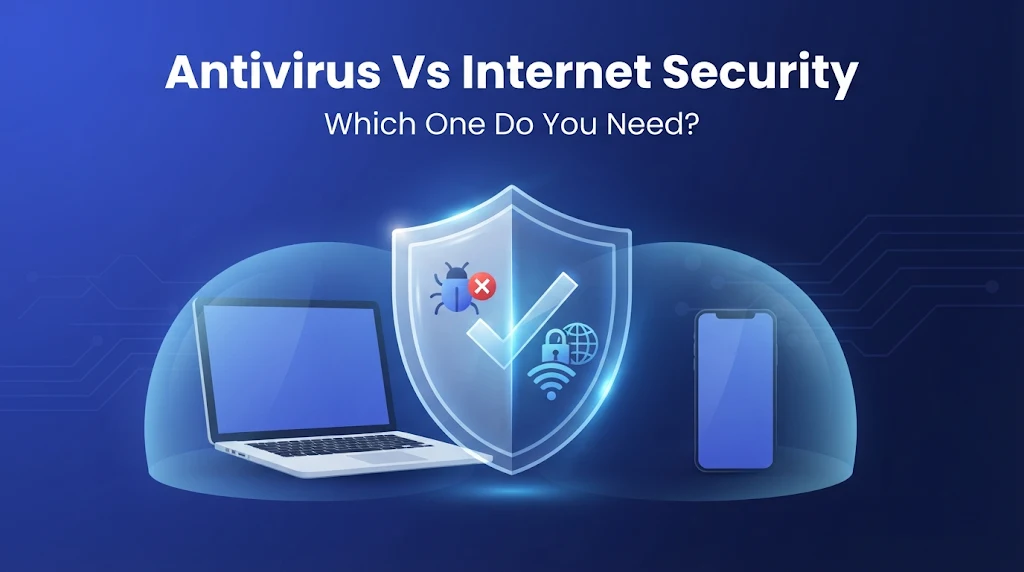
Choosing between antivirus and internet security sounds simple until you see ten products with similar names and very different price tags. In short, antivirus protects your device from malicious files, while internet security protects both your device and your online activity. This guide explains the difference in plain language, compares popular options side by side, and helps you pick the right level of protection without overpaying.
Table Of Contents
- Quick Answer: Who, What, When, Where, Why And How
- Antivirus Vs Internet Security Vs Total Security
- What Antivirus Actually Does
- What Internet Security Adds
- Is Windows Defender Enough
- Best Antivirus And Internet Security Comparison
- Free Vs Paid Protection
- How To Choose The Right Protection In 5 Steps
- Antivirus For Android And iPhone
- Common Mistakes To Avoid
- Frequently Asked Questions
1. Quick Answer: Who, What, When, Where, Why And How
| Question | Answer |
|---|---|
| Who needs it | Anyone who uses a Windows PC, Mac, Android phone or shared family device, especially people who bank, shop and download files online. |
| What it is | Antivirus removes malware. Internet security adds a firewall, phishing protection, safe browsing and privacy tools on top. |
| When to upgrade | When you handle money online, share devices with children, work from home, or keep sensitive files on your computer. |
| Where it runs | On Windows, macOS, Android and iOS, with one license often covering several devices. |
| Why it matters | Ransomware, fake login pages and infected downloads target everyday users, not just companies. |
| How to start | Keep Microsoft Defender on, add one trusted suite only if you need extras, and update everything regularly. |
2. Antivirus Vs Internet Security Vs Total Security
Vendors use these names differently, but the pattern is similar across most brands. Always compare feature lists rather than names.
| Feature | Antivirus | Internet Security | Total Security |
|---|---|---|---|
| Malware scanning | Yes | Yes | Yes |
| Real-time protection | Yes | Yes | Yes |
| Firewall | Usually no | Yes | Yes |
| Phishing and safe browsing | Basic | Yes | Yes |
| Ransomware protection | Sometimes | Yes | Yes |
| Parental controls | No | Often | Yes |
| Password manager | No | Sometimes | Often |
| VPN | No | Sometimes limited | Often included |
| PC cleanup tools | No | No | Often |
| Best for | Basic users | Online shoppers and families | Multi-device households |
3. What Antivirus Actually Does
An antivirus program scans files, apps and downloads for known malicious code and suspicious behavior. When it finds a threat, it blocks it, quarantines it or deletes it. Modern products use signature checks, behavior monitoring and cloud lookups together.
- Real-time protection: checks files as you open, download or copy them.
- On-demand scans: quick scans for common locations and full scans for the whole drive.
- Automatic updates: fresh threat definitions several times a day.
- Quarantine: isolates suspicious files so they cannot run.
4. What Internet Security Adds
Internet security suites protect the things malware scanning alone cannot, such as fake websites, unsafe network connections and unwanted inbound traffic.
Firewall
A firewall controls which programs can send or receive data. Windows already has a firewall, but suites add easier controls and alerts.
Phishing And Safe Browsing
These tools warn you before you open scam pages that imitate banks, delivery companies or social media logins. This is one of the biggest real-world benefits for everyday users.
Parental Controls And Identity Tools
Many suites let you filter websites, set screen time and watch for leaked passwords. If you share a computer with children, this alone can justify the upgrade.
5. Is Windows Defender Enough
Microsoft Defender is built into Windows 10 and Windows 11 and is a strong free baseline. For many careful home users it is enough. It is weaker on extras such as a dedicated VPN, family dashboards and cross-platform protection.
| Your Situation | Defender Alone | Add A Paid Suite |
|---|---|---|
| Light browsing, email, streaming | Usually enough | Optional |
| Online banking and shopping on a shared PC | Okay with good habits | Recommended |
| Children use the computer | Limited controls | Recommended |
| Freelancer or remote worker with client files | Okay on updated systems | Recommended |
| Downloads many files or uses USB drives often | Risky | Recommended |
| Several devices across Windows, Android and Mac | Windows only | Recommended |
6. Best Antivirus And Internet Security Comparison
The table below compares popular choices by type of user. Prices and bundles change often, so always confirm on the official website and check current lab results at AV-TEST and AV-Comparatives.
| Product | Type | Strengths | Watch Out For | Best For |
|---|---|---|---|---|
| Microsoft Defender | Free, built in | No install, no ads, deep Windows integration | Fewer extras, Windows focused | Careful home users |
| Bitdefender | Paid suite, limited free | Strong lab results, light on resources | Many features can feel crowded | Most home users |
| Norton 360 | Paid suite | Bundled VPN, password manager, identity monitoring | Higher renewal price, bundle varies by region | Families, multi-device |
| McAfee | Paid suite | Plans for many devices, simple dashboard | Pre-installed trial pop-ups | Households with many devices |
| Avast / AVG | Free and paid | Free tier available, easy interface | Read the privacy policy, upsell prompts | Budget users |
| ESET | Paid suite | Lightweight, good for older PCs, detailed settings | Interface suits more technical users | Gamers, older PCs |
| Malwarebytes | Free scanner, paid real-time | Great second-opinion cleanup | Not a full firewall suite | Cleaning an infected PC |
7. Free Vs Paid Protection
| Point | Free | Paid |
|---|---|---|
| Malware scanning | Good basics | Good, with stronger layers |
| Ransomware shield | Often limited | Usually included |
| Firewall and parental controls | Rare | Common |
| Customer support | Community or limited | Chat, phone or email |
| Ads and upsells | More frequent | Fewer |
| Cost | Free | Subscription, often cheaper on multi-year or multi-device plans |
Free is fine when you stay careful. Paid makes sense when the value of your accounts, files and family safety is higher than the yearly subscription.
8. How To Choose The Right Protection In 5 Steps
Step 1: Count Your Devices
List every PC, phone and tablet you want to protect. A multi-device plan is often cheaper than separate licenses.
Step 2: Decide What You Need Beyond Malware Scanning
Do you need a firewall, parental controls, a password manager or a VPN? If not, antivirus or Defender may be enough.
Step 3: Check Independent Test Results
Look at protection, performance and false-alarm scores from AV-TEST and AV-Comparatives instead of trusting ads.
Step 4: Compare The Renewal Price
Many first-year deals jump at renewal. Note the second-year price before you buy.
Step 5: Install One Product Only
Fully uninstall your old antivirus first, restart, then install the new one from the official site.
9. Antivirus For Android And iPhone
Android: install apps only from Google Play, keep Play Protect on, and consider a security app if you sideload apps or open many links. iPhone: malware is rare because of app sandboxing, so focus on updates, strong passcodes, two-factor authentication and phishing awareness. Our iPhone tips guide covers useful settings.
10. Common Mistakes To Avoid
- Running two real-time antivirus programs together.
- Using cracked or key-generator versions of paid software.
- Ignoring Windows and browser updates.
- Clicking links in urgent emails, SMS or WhatsApp messages.
- Buying a suite and never enabling its extra features.
- Using the same password everywhere, even with strong antivirus.
- Skipping backups, which are your best defense against ransomware.
11. Frequently Asked Questions
What Is The Difference Between Antivirus And Internet Security?
Antivirus focuses on finding and removing malware such as viruses, trojans, worms, spyware and ransomware. Internet security is a bigger suite that includes antivirus plus extras like a firewall, safe browsing and phishing protection, parental controls, and often a password manager or VPN.
Do I Need Antivirus On Windows 11?
Windows 11 includes Microsoft Defender, which gives solid baseline protection for most home users. You need a separate antivirus only if you want extra layers such as stronger web protection, ransomware recovery tools, or protection across several devices.
Is Windows Defender Enough In Real Life?
For careful users who update Windows, avoid cracked software and do not click unknown links, Defender is usually enough. Add a paid suite if you shop or bank online on shared devices, download many files, or manage a family with children.
Is Internet Security Better Than Antivirus?
It is not automatically better, it is broader. If you only need malware scanning, antivirus is enough. If you also want a firewall, phishing protection, parental controls and identity tools, internet security is the better fit.
What Is The Difference Between Internet Security And Total Security?
Total security is usually the top tier from a vendor. It adds items like a VPN, PC cleanup and optimization tools, password manager and multi-device support on top of internet security. Names and bundles differ by brand, so read the feature list before buying.
Can I Run Two Antivirus Programs At The Same Time?
No. Two real-time scanners fight over the same files and can slow your PC or cause crashes. Use one main antivirus and, if you want a second opinion, run an on-demand scanner such as Malwarebytes manually.
Is Free Antivirus Safe?
Reputable free antivirus is safe for basic protection, but free tiers often lack ransomware shields, firewall controls and support. Always read the privacy policy, because some free products have been criticized for how they handle user data.
Which Antivirus Is Best For Windows 11?
There is no single best choice for everyone. Microsoft Defender is the best free baseline, while Bitdefender, Norton, ESET and McAfee are popular paid options. Check recent results at AV-TEST and AV-Comparatives before deciding.
Does Antivirus Slow Down My Computer?
Modern antivirus is much lighter than older versions, but a full scan can use CPU and disk. Schedule scans for idle hours and choose a lightweight product like ESET or Bitdefender if you have an older PC.
Do Android Phones And iPhones Need Antivirus?
Android benefits from protection if you install apps outside Google Play or open many links. iPhones are tightly sandboxed, so a security app mainly helps with phishing, Wi-Fi checks and identity monitoring rather than malware scanning.
Is A VPN Included In Internet Security?
Some suites include a VPN, but many limit the daily data or offer it only in higher tiers. Check whether it is unlimited before counting it as a feature.
Are Cracked Or Pirated Antivirus Keys Safe?
No. Cracks and key generators are a common way to spread malware, and the product cannot update safely. A licensed free tool like Microsoft Defender is safer than a cracked paid suite.
How Often Should I Scan My Computer?
Keep real-time protection on at all times and run a full scan about once a week. Run an extra scan after installing unknown software or plugging in a USB drive from someone else.
12. Conclusion
Antivirus is the foundation, and internet security is the safer, wider upgrade for people who live online. Start with Microsoft Defender, add one trusted suite when you need a firewall, phishing protection or family tools, and never run two real-time scanners together. Strong habits such as updates, backups and careful clicking matter as much as the software you buy.
Need more practical tech and SEO guides? Read our Recover Antivirus Deleted Files, comprehensive data security, AI crawler SEO guide, learn how to set up Google My Business, or browse the full list on the Aik Designs Anchor Hub. Looking for a website that is secure and fast? Talk to Aik Designs about web design and SEO in Karachi.
About Author