ChatGPT Complete Guide (2026): Features, Pricing, GPT-5.5, Tips & FAQs
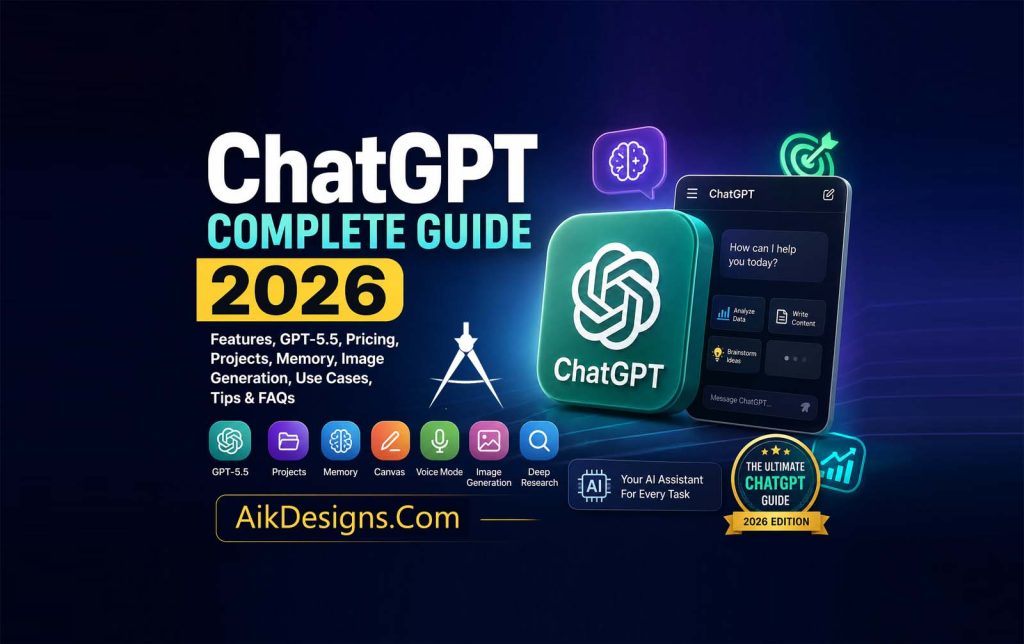
Everything you need to know about ChatGPT—from getting started and choosing the right plan to using GPT-5.5, creating better prompts, boosting productivity, and understanding the latest features.
Beginner Friendly
GPT-5.5 Guide
Pricing Explained
Expert Tips
SEO Optimized
🤖 Quick Answer
ChatGPT is an advanced AI assistant developed by OpenAI that can understand natural language, answer questions, generate content, write code, summarize documents, analyze files, brainstorm ideas, create images, and help users complete everyday tasks more efficiently. Whether you are a student, business owner, marketer, developer, teacher, or content creator, ChatGPT provides intelligent assistance for work, learning, creativity, and productivity.
🚀 AI Assistant
Write, learn, brainstorm, code, research and automate tasks using conversational AI.
🧠 GPT-5.5
Access OpenAI’s latest generation of AI models with improved reasoning, speed and accuracy.
💼 Business Ready
Create marketing content, emails, reports, business plans, customer support replies and more.
🎓 Learn Faster
Get explanations, solve problems, practice languages and receive personalized study assistance.
📑 Table Of Contents
- What Is ChatGPT?
- History Of ChatGPT
- How ChatGPT Works
- GPT Models Explained
- GPT-5.5 Features
- ChatGPT Pricing
- Free vs Plus vs Pro
- Projects
- Memory
- Canvas
- Voice Mode
- Image Generation
- Deep Research
- Study Mode
- Business Use Cases
- SEO & Marketing
- Coding
- Best Prompt Tips
- Limitations
- FAQs
 Ai Writing Tools For Ai SEO 2026
What Is ChatGPT?
ChatGPT is a conversational artificial intelligence platform created by OpenAI that enables people to interact with AI using everyday language. Instead of learning complicated commands or programming syntax, users simply type or speak naturally, and ChatGPT responds with detailed, relevant, and context-aware answers. The platform is designed to make advanced AI accessible to everyone, from complete beginners to experienced professionals.
Since its public launch, ChatGPT has become one of the world’s most widely used AI applications. Millions of people rely on it every day to write articles, summarize documents, create presentations, solve mathematical problems, generate programming code, translate languages, analyze uploaded files, brainstorm business ideas, prepare for interviews, and improve productivity. Its versatility has made it valuable across education, business, healthcare, marketing, software development, customer service, and many other industries.
Unlike traditional search engines that primarily display links to websites, ChatGPT focuses on generating direct, conversational responses. Users can ask follow-up questions, request revisions, change the tone of a response, or explore topics in greater depth within the same conversation. This interactive experience helps people complete tasks more quickly and often reduces the need to search across multiple websites.
Modern versions of ChatGPT go far beyond simple text generation. Depending on your plan and available features, ChatGPT can analyze images, understand uploaded PDFs and spreadsheets, generate high-quality images from text prompts, help with coding projects, remember useful preferences, organize work into projects, perform deep research, and interact using natural voice conversations. These capabilities make ChatGPT a comprehensive AI assistant rather than just a chatbot.
Whether you are drafting emails, writing SEO-friendly blog posts, debugging code, planning a marketing campaign, studying for an exam, or exploring new ideas, ChatGPT can save time while improving the quality of your work. As artificial intelligence continues to evolve, ChatGPT remains one of the leading platforms for individuals and organizations seeking smarter, faster, and more efficient ways to work and learn.
💡 Aik Designs Tip
For the best results, treat ChatGPT like a knowledgeable assistant rather than a search engine. Provide clear instructions, include relevant context, specify your desired output format, and refine your prompts with follow-up questions. Better prompts consistently produce better responses.
History Of ChatGPT
The journey of ChatGPT began with OpenAI’s mission to develop artificial intelligence that is useful, safe, and accessible to everyone. Founded in 2015, OpenAI invested years in researching large language models capable of understanding and generating human-like text. These efforts led to the development of the Generative Pre-trained Transformer (GPT) series, which gradually improved through multiple generations of AI models.
On November 30, 2022, OpenAI officially launched ChatGPT for public use. The platform quickly became one of the fastest-growing consumer applications in history because it allowed users to communicate with artificial intelligence using natural language. People no longer needed technical knowledge or programming experience to benefit from AI. Within just a few months, millions of users worldwide were using ChatGPT for education, programming, business, research, writing, and everyday productivity.
Since its launch, ChatGPT has evolved rapidly. OpenAI has introduced significant improvements, including more advanced GPT models, image generation, voice conversations, memory, projects, canvas, deep research capabilities, file analysis, custom GPTs, enterprise collaboration tools, and stronger reasoning abilities. These updates have transformed ChatGPT from a simple conversational chatbot into a complete AI productivity platform suitable for individuals, educators, developers, businesses, and organizations of every size.
Today, ChatGPT continues to evolve with regular feature updates, improved safety systems, enhanced reasoning, and broader multimodal capabilities. It has become an essential tool for millions of professionals, students, marketers, researchers, software developers, and content creators who rely on AI to save time, improve creativity, and increase productivity.
📅 ChatGPT Timeline
2015 — OpenAI is founded to advance artificial intelligence research.
2018–2020 — GPT language models demonstrate increasingly advanced text generation capabilities.
November 2022 — ChatGPT becomes publicly available and quickly gains worldwide popularity.
2023 — OpenAI introduces major improvements, including multimodal capabilities, plugins, browsing, and custom GPT experiences.
2024–2026 — ChatGPT expands with GPT-5.5, Projects, Memory, Canvas, Voice, Deep Research, improved image generation, and advanced business collaboration features.
Who Created ChatGPT?
ChatGPT was created by OpenAI, an artificial intelligence research and technology company focused on developing AI systems that benefit humanity. OpenAI combines expertise in machine learning, computer science, mathematics, engineering, and safety research to build advanced AI models capable of understanding and generating natural language.
The organization’s work extends beyond conversational AI. OpenAI also develops reasoning models, multimodal AI systems that understand text, images, and audio, developer APIs, enterprise AI solutions, and research focused on improving the safety, reliability, and usefulness of artificial intelligence. ChatGPT is one of OpenAI’s most widely recognized products because it makes advanced AI accessible through an easy-to-use conversational interface.
Did You Know?
ChatGPT is not a search engine. While it can answer questions and explain complex topics, it is designed primarily as an AI assistant that understands instructions, reasons through problems, generates content, and helps users complete tasks more efficiently.
How ChatGPT Works
ChatGPT is powered by advanced large language models (LLMs) trained on enormous amounts of text from books, articles, publicly available information, licensed data, and other educational resources. During training, the model learns language patterns, grammar, relationships between concepts, reasoning strategies, and how people communicate in different contexts.
When you submit a prompt, ChatGPT analyzes your words, identifies your intent, understands the surrounding conversation, and predicts the most appropriate response one token at a time. Unlike traditional software that follows fixed rules, ChatGPT generates responses dynamically based on probability, context, and reasoning learned during training.
Modern versions of ChatGPT can also process multiple types of information. Besides text, they can understand uploaded documents, spreadsheets, presentations, images, and, depending on available features, respond using voice or generate images from natural language descriptions. This ability to work with different content types is known as multimodal AI.
Another important advantage is conversational memory within a chat. Instead of treating every question independently, ChatGPT remembers the context of the current conversation so users can ask follow-up questions, request revisions, simplify explanations, or expand on previous answers without starting over.
1️⃣ Understand
Analyzes your prompt, intent, and previous conversation context.
2️⃣ Reason
Processes information using advanced AI models trained on language patterns and problem-solving techniques.
3️⃣ Generate
Creates a detailed, conversational response tailored to your request.
4️⃣ Improve
Refines answers through follow-up prompts until you achieve the desired result.
GPT Models Explained
GPT stands for Generative Pre-trained Transformer. It is the family of artificial intelligence models that powers ChatGPT. Each generation introduces improvements in reasoning, language understanding, coding ability, creativity, accuracy, speed, and multimodal capabilities.
| Model | Highlights |
|---|---|
| GPT-3.5 | Fast responses suitable for everyday writing, learning, and simple coding tasks. |
| GPT-4 | Improved reasoning, higher-quality writing, better coding, and stronger analytical abilities. |
| GPT-4o | Designed for fast multimodal interactions involving text, images, and voice. |
| GPT-5.5 | Enhanced reasoning, deeper understanding, improved productivity tools, stronger accuracy, and better support for professional workflows. |
GPT-5.5 Explained
GPT-5.5 represents the latest evolution of OpenAI’s conversational AI technology. It builds upon previous GPT models with better reasoning, faster responses, improved coding performance, stronger writing quality, and enhanced multimodal capabilities. The model is designed to help users complete complex tasks with greater accuracy while maintaining natural and engaging conversations.
One of GPT-5.5’s strengths is its ability to understand detailed instructions. Whether you need long-form content, programming assistance, business planning, document analysis, educational support, or creative brainstorming, GPT-5.5 can adapt its responses based on your objectives and preferred writing style.
In addition to answering questions, GPT-5.5 supports features such as Projects, Memory, Canvas, Voice, image generation, and advanced reasoning tools, allowing users to manage larger workflows instead of isolated conversations. These capabilities make ChatGPT a practical AI assistant for professionals, students, marketers, researchers, software developers, and organizations seeking to increase productivity through artificial intelligence.
⭐ Key Takeaways
- ChatGPT evolved from years of OpenAI research into one of the world’s most popular AI assistants.
- OpenAI continues to improve ChatGPT with new models and productivity features.
- GPT models have become more capable with each generation, offering better reasoning, writing, coding, and multimodal support.
- GPT-5.5 focuses on delivering faster, smarter, and more reliable assistance for everyday and professional tasks.
ChatGPT Features
One of the biggest reasons behind ChatGPT’s popularity is its continuously expanding feature set. ChatGPT is much more than a chatbot—it is a complete AI productivity platform designed to help individuals, teams, businesses, educators, developers, and creators complete tasks faster and more efficiently. From writing and coding to image generation and research, ChatGPT combines multiple AI capabilities within a single interface.
✍️ Content Writing
Create blog posts, articles, emails, product descriptions, reports, social media content, advertisements, business proposals, and marketing copy within minutes.
💻 Coding Assistant
Generate code, debug errors, explain programming concepts, optimize scripts, build applications, and learn new programming languages.
🎨 Image Generation
Create AI-generated images, illustrations, banners, logos, concept art, social media graphics, and marketing visuals using natural language prompts.
📊 Data Analysis
Analyze spreadsheets, summarize reports, identify trends, interpret charts, and extract useful insights from uploaded files.
🎙️ Voice Conversations
Speak naturally with ChatGPT using voice mode for hands-free conversations, brainstorming, and learning.
📄 File Uploads
Upload PDFs, Word documents, Excel files, PowerPoint presentations, and images for analysis and summaries.
🧠 Memory
Allow ChatGPT to remember useful preferences and details, making future conversations more personalized.
📁 Projects
Organize related chats, files, and instructions into dedicated workspaces for ongoing projects.
📝 Canvas
Edit long documents, articles, reports, and code in a dedicated workspace with AI-assisted revisions.
🔍 Deep Research
Conduct structured research, compare information, organize findings, and produce comprehensive reports.
🌐 Multilingual Support
Understand and generate text in many languages, making communication and translation easier.
⚡ Productivity
Plan schedules, brainstorm ideas, solve problems, automate repetitive work, and improve daily efficiency.
💡 Pro Tip
The best results come from combining multiple features together. For example, upload a PDF, ask ChatGPT to summarize it, use Canvas to refine the content, generate an image for it, and finally create social media posts—all within the same workflow.
ChatGPT Pricing
ChatGPT offers multiple subscription plans to meet the needs of different users. Whether you are exploring AI for personal learning or deploying it across an organization, there is a plan designed for your workflow. Individuals can begin with the Free plan, while professionals often choose Plus or Pro for expanded access. Teams, businesses, educational institutions, and enterprises have additional options that provide collaboration tools, administrative controls, and higher usage limits.
| Plan | Best For | Highlights |
|---|---|---|
| Free | Everyday users | Basic AI assistance, limited usage, access to selected features. |
| Plus | Professionals & creators | Higher limits, faster responses, access to more advanced models and tools. |
| Pro | Power users | Expanded access, higher usage allowances, and advanced capabilities for demanding workflows. |
| Team | Small businesses | Shared workspace, collaboration, centralized billing, and team management. |
| Enterprise | Large organizations | Enterprise-grade security, compliance, administrative controls, and scalable deployment. |
| Education | Schools & universities | Designed for teaching, learning, collaboration, and academic productivity. |
ChatGPT Free Vs Plus Vs Pro Vs Team Vs Enterprise Vs Education
Choosing the right ChatGPT plan depends on how frequently you use AI and what kind of work you do. Casual users generally find the Free plan sufficient for everyday questions and learning. Professionals who rely on AI for writing, coding, design, or business often benefit from Plus because it offers greater access and improved performance. Heavy users who spend hours each day working with AI may prefer Pro for higher limits and advanced capabilities. Organizations typically choose Team or Enterprise to enable secure collaboration, centralized administration, and scalable deployment, while educational institutions can take advantage of plans designed specifically for teaching and research.
🆓 Free
Ideal for beginners exploring ChatGPT and completing everyday tasks.
⭐ Plus
Perfect for writers, marketers, students, freelancers, and professionals who use AI regularly.
🚀 Pro
Recommended for advanced users with demanding workloads and frequent AI usage.
👥 Team
Designed for organizations that require shared workspaces and collaboration features.
🏢 Enterprise
Built for large companies needing advanced security, compliance, and administrative controls.
🎓 Education
Supports educators, students, and academic institutions with collaborative AI tools.
Which ChatGPT Plan Should You Choose?
- Choose Free if you are just getting started with AI.
- Choose Plus if you create content, write code, conduct research, or use ChatGPT every day.
- Choose Pro if you require maximum productivity and higher usage limits.
- Choose Team if multiple people need to collaborate using shared AI workspaces.
- Choose Enterprise if your organization requires enterprise-level security and administrative controls.
- Choose Education if you are part of a school, college, or university using AI for teaching and learning.
⭐ Expert Recommendation
If you use ChatGPT for blogging, Google SEO, Bing SEO, programming, digital marketing, graphic design, research, or business, upgrading from the Free plan can significantly improve your workflow through access to additional AI capabilities, faster responses, and higher usage limits. Before subscribing, compare the available plans and choose the one that best matches your daily workload and feature requirements.
Advanced ChatGPT Features
ChatGPT has evolved into a complete AI workspace that goes far beyond answering questions. Modern versions combine intelligent conversation with powerful productivity tools that help users organize projects, remember useful information, edit documents, generate images, conduct research, collaborate with teams, and even complete multi-step tasks. These features make ChatGPT a valuable assistant for students, professionals, businesses, developers, marketers, and creators. OpenAI continues to expand these capabilities through regular updates and new AI workflows.
ChatGPT Projects
Projects help you organize related conversations, uploaded files, instructions, and reference materials into dedicated workspaces. Instead of keeping dozens of separate chats, you can group everything for a client, website, business, or research topic inside a single project. This makes long-term work easier because ChatGPT can use the project’s shared context without requiring you to repeat the same background information every time.
📁 Organize Work
Keep chats, files and instructions together in one workspace.
📄 Upload Files
Store PDFs, documents, spreadsheets and research material.
📝 Project Instructions
Define writing style, tone and permanent project goals.
👥 Collaboration
Some plans allow project sharing and team collaboration.
💡 Aik Designs Tip
Create a dedicated project for your website. Store your brand voice, writing guidelines, target keywords, internal linking strategy, and uploaded documents. Every new article will remain more consistent.
ChatGPT Memory
Memory allows ChatGPT to remember useful details across conversations, such as your preferred writing style, favorite programming language, business goals, or recurring tasks. Instead of repeating the same instructions every time, ChatGPT can personalize future responses based on remembered information. Users remain in control and can review, edit, or delete saved memories whenever they choose. Recent updates have also improved how memory stays current by automatically refreshing important context over time.
| Memory Can Remember | Examples |
|---|---|
| Writing Preferences | Professional tone, SEO style, formatting preferences. |
| Business Information | Company name, workflow preferences, recurring tasks. |
| Learning Goals | Subjects you’re studying or long-term objectives. |
ChatGPT Canvas
Canvas is a dedicated editing workspace designed for writing and coding. Instead of editing text directly inside a conversation, Canvas opens your document in a structured editor where ChatGPT can rewrite paragraphs, improve grammar, shorten content, expand sections, suggest edits, explain code, or refactor programs. It provides a more collaborative experience for long-form content and software development than a standard chat interface.
Canvas Is Perfect For
- Writing blog posts
- Editing long articles
- Improving SEO content
- Programming projects
- Business reports
- Research papers
- Marketing campaigns
- Technical documentation
ChatGPT Voice Mode
Voice Mode allows users to have natural spoken conversations with ChatGPT instead of typing. You can ask questions, brainstorm ideas, practice interviews, learn new languages, or discuss complex topics while speaking naturally. Voice interactions feel more conversational and are particularly useful when multitasking or using mobile devices.
Many professionals use Voice Mode during meetings, while driving, walking, or planning projects because it provides a hands-free way to interact with AI.
ChatGPT Image Generation
ChatGPT can generate high-quality images from natural language prompts. Users can create illustrations, logos, social media graphics, website banners, concept art, presentations, product mockups, icons, advertisements, educational visuals, and marketing materials without needing traditional graphic design software.
You can also modify existing images by requesting edits such as removing objects, changing backgrounds, enhancing quality, adjusting colors, or transforming the artistic style.
🎨 Marketing
Create banners, ads and social graphics.
🖼️ Blog Images
Generate featured images and illustrations.
📱 Social Media
Create eye-catching posts for every platform.
📊 Presentations
Design visuals for reports and slides.
ChatGPT Deep Research
Deep Research is designed for more complex research tasks. Instead of simply answering a question, ChatGPT can work through larger research objectives, organize information, compare sources, analyze findings, and generate comprehensive reports. This makes it especially valuable for business research, technical documentation, market analysis, academic projects, and long-form content creation.
ChatGPT Study Mode
Study Mode transforms ChatGPT into an interactive learning assistant. Rather than immediately providing answers, it guides users through concepts step by step using questions, hints, quizzes, and explanations that encourage deeper understanding. Lessons adapt to the learner’s knowledge level, making Study Mode useful for homework, exam preparation, and skill development.
🎓 Student Tip
Instead of asking ChatGPT to solve every problem, enable Study Mode and work through each concept step by step. This helps improve understanding and long-term retention.
ChatGPT Connectors
Connectors allow ChatGPT to work with supported external services and business data sources. Depending on your plan and availability, these integrations help ChatGPT retrieve relevant information from connected applications so you can complete work without constantly switching between multiple tools. OpenAI continues expanding these integrations as part of its productivity ecosystem.
ChatGPT Work & AI Agents
OpenAI has introduced ChatGPT Work, an AI agent designed for longer, more involved tasks. Unlike a standard conversation, it can research information, analyze files, work across connected apps, and produce finished outputs such as reports, presentations, spreadsheets, and other documents while allowing you to review progress and provide feedback throughout the process.
🚀 Why These Features Matter
When combined, Projects, Memory, Canvas, Voice Mode, Image Generation, Deep Research, Study Mode, Connectors, and AI Work transform ChatGPT from a simple chatbot into a comprehensive productivity platform. Whether you’re managing a business, writing SEO content, learning new skills, building software, or conducting research, these tools help you complete complex tasks faster while keeping your work organized and consistent.
How To Create A ChatGPT Account
Getting started with ChatGPT is quick and straightforward. Whether you want to use AI for learning, business, coding, writing, or everyday productivity, creating an account only takes a few minutes. Once you sign up, you can access ChatGPT through your web browser or the official mobile applications.
🚀 Steps To Sign Up
- Visit the official ChatGPT website.
- Click Sign Up.
- Create an account using your email address or continue with your Google, Apple, or Microsoft account.
- Verify your email or phone number if requested.
- Complete your profile.
- Start your first conversation with ChatGPT.
After signing in, you’ll immediately have access to ChatGPT. Depending on your subscription plan, additional features such as advanced AI models, Projects, Memory, Canvas, image generation, and collaboration tools may also be available.
ChatGPT Interface Explained
The ChatGPT interface is designed to be simple enough for beginners while remaining powerful for professionals. Every conversation takes place inside an organized workspace where you can ask questions, upload files, generate images, analyze documents, and manage long-term projects.
💬 Chat Window
Type questions, prompts, or instructions and receive conversational AI responses.
📂 Sidebar
Access previous conversations, projects, and saved chats.
📎 File Upload
Upload PDFs, Word documents, Excel files, presentations, and images for AI analysis.
⚙️ Settings
Manage memory, personalization, notifications, connected apps, and account preferences.
Popular ChatGPT Use Cases
ChatGPT is used across nearly every industry because it can automate repetitive work, improve productivity, and assist with creative thinking. Below are some of the most common ways people use ChatGPT every day.
🎓 ChatGPT For Students
Students use ChatGPT to understand difficult subjects, summarize textbooks, solve mathematical problems, practice foreign languages, prepare for examinations, create study notes, generate flashcards, and receive personalized explanations. Instead of simply providing answers, ChatGPT can also explain concepts step by step to improve learning.
💼 ChatGPT For Businesses
Businesses use ChatGPT to draft emails, create reports, prepare presentations, write business proposals, analyze customer feedback, brainstorm ideas, automate customer support, and improve workplace productivity. Teams also use ChatGPT for documentation, meeting summaries, and knowledge management.
📈 ChatGPT For SEO & Digital Marketing
SEO professionals use ChatGPT for keyword research, content planning, blog writing, metadata generation, schema recommendations, internal linking ideas, content optimization, competitor analysis, FAQ creation, and brainstorming new article topics. When combined with human expertise, ChatGPT can significantly speed up content production while maintaining quality.
💡 SEO Tip
Always review AI-generated content before publishing. Add original research, real-world experience, expert insights, and accurate facts to improve trustworthiness and search visibility.
💻 ChatGPT For Developers
Developers rely on ChatGPT to write code, explain programming concepts, debug errors, optimize algorithms, document software, generate SQL queries, learn new frameworks, and build applications faster. It supports many popular programming languages and can assist with both beginner and advanced coding tasks.
✍️ ChatGPT For Content Creators
Content creators use ChatGPT to generate blog ideas, YouTube scripts, podcast outlines, email newsletters, product descriptions, social media captions, advertising copy, and marketing campaigns. It also helps rewrite content, improve readability, and create multiple variations of the same message.
Best ChatGPT Tips
1️⃣ Be Specific
Clearly explain what you want instead of asking vague questions.
2️⃣ Provide Context
Include background information to receive more accurate responses.
3️⃣ Define The Format
Request lists, tables, HTML, summaries, or step-by-step instructions.
4️⃣ Refine Results
Continue the conversation and ask ChatGPT to improve or rewrite its responses.
5️⃣ Upload Files
Use PDFs, spreadsheets, presentations, and images for deeper analysis.
6️⃣ Use Projects
Organize long-term work instead of creating dozens of separate chats.
Common ChatGPT Mistakes To Avoid
- Writing prompts that are too short or unclear.
- Assuming every AI response is always correct.
- Publishing AI-generated content without reviewing it.
- Sharing sensitive personal or confidential business information.
- Ignoring citations and fact-checking for research.
- Using AI without adding your own expertise or creativity.
- Expecting perfect answers from a single prompt.
Privacy & Security
OpenAI provides privacy controls that allow users to manage conversation history, personalization, memory, and other account settings. Before sharing confidential business information, financial records, legal documents, or sensitive personal data, review your account’s privacy options and organizational policies. Following good cybersecurity practices and carefully managing the information you share with any AI service helps protect your data.
Advantages Of ChatGPT
⚡ Saves Time
Automates repetitive writing, coding, research, and planning tasks.
📚 Easy Learning
Explains complex topics in simple language.
💼 Improves Productivity
Helps individuals and teams accomplish more in less time.
🌍 Works Across Industries
Useful for education, business, healthcare, marketing, software, and research.
Limitations Of ChatGPT
- AI can occasionally generate inaccurate or outdated information.
- Some advanced features require a paid subscription.
- Human review is essential for legal, medical, and financial decisions.
- Response quality depends heavily on the quality of your prompts.
- AI should support human creativity—not replace critical thinking or expert judgment.
ChatGPT Alternatives
Although ChatGPT is one of the most popular AI assistants available today, it is not the only option. Several ChatGPT Alternatives companies have developed powerful AI platforms with unique strengths for writing, coding, research, productivity, and business collaboration. Choosing the right AI assistant depends on your workflow, budget, and specific requirements.
| AI Platform | Best For |
|---|---|
| ChatGPT | Writing, coding, business, creativity, image generation, productivity and research. |
| Claude | Long document analysis, writing, research and reasoning. |
| Google Gemini | Google ecosystem integration, productivity and multimodal AI. |
| Microsoft Copilot | Microsoft 365 productivity, coding and enterprise workflows. |
| Perplexity AI | AI-powered search and research with cited sources. |
Frequently Asked Questions (FAQs)
Is ChatGPT free to use?
Yes. ChatGPT offers a free plan, while paid plans provide access to additional models, higher usage limits, and more advanced features.
Who developed ChatGPT?
ChatGPT was developed by OpenAI, an artificial intelligence research and technology company.
What can ChatGPT do?
ChatGPT can answer questions, write articles, generate code, summarize documents, create images, analyze files, brainstorm ideas, translate languages, and assist with many personal and professional tasks.
Can ChatGPT generate images?
Yes. Supported versions of ChatGPT can generate and edit images from natural language prompts.
Can ChatGPT write code?
Yes. ChatGPT supports many programming languages and can generate, explain, debug, and optimize code.
Is ChatGPT good for SEO?
Yes. ChatGPT can help with keyword research, content planning, metadata, schema ideas, internal linking, FAQs, and content optimization. However, human expertise and fact-checking remain essential for high-quality SEO.
Can students use ChatGPT?
Absolutely. Students use ChatGPT for studying, note-taking, language learning, research, and exam preparation. It is most effective when used as a learning assistant rather than simply copying answers.
Does ChatGPT replace Google Search?
No. ChatGPT and search engines serve different purposes. ChatGPT excels at conversation, explanations, brainstorming, and task completion, while search engines are ideal for discovering websites, current information, and original sources.
Is ChatGPT safe?
ChatGPT includes privacy controls and safety measures, but users should avoid sharing confidential or sensitive information and should always verify important facts.
Which ChatGPT plan should I choose?
The best plan depends on your needs. Casual users may prefer the Free plan, while professionals, businesses, and organizations often benefit from paid plans that offer higher limits and additional features.
Key Takeaways
- ChatGPT is one of the world’s leading AI assistants for writing, coding, learning, research, and productivity.
- It supports advanced features such as Projects, Memory, Canvas, Voice Mode, Image Generation, and Deep Research.
- Multiple subscription plans are available for individuals, professionals, teams, educational institutions, and enterprises.
- Clear prompts and human review produce the best results.
- ChatGPT continues to evolve with new AI capabilities, making it a valuable tool for both personal and professional use.
Conclusion
ChatGPT has transformed the way people interact with artificial intelligence by making advanced AI accessible through simple conversations. Whether you want to write content, develop software, conduct research, improve productivity, create marketing campaigns, generate images, or learn new skills, ChatGPT provides a versatile platform that continues to evolve with powerful new features.
As AI becomes an increasingly important part of everyday work and learning, understanding how to use ChatGPT effectively will help you save time, improve creativity, and make better decisions. By combining clear prompts with human expertise, you can unlock the full potential of ChatGPT while maintaining accuracy, originality, and quality.
🚀 Final Tip From Aik Designs
Artificial intelligence is most powerful when it works alongside human creativity—not as a replacement for it. Use ChatGPT to automate repetitive work, explore new ideas, and increase productivity, but always review important information, add your own expertise, and create content that delivers genuine value to your audience.
Article Information
Published: Aik Designs Blogs By Ali Irfan Khan July 2026 | Reading Time: ~20 minutes | Category: Ai Tools
Topics Covered: ChatGPT, GPT-5.5, AI Assistant, OpenAI, ChatGPT Features, ChatGPT Pricing, Projects, Memory, Canvas, Voice Mode, Image Generation, Deep Research, Study Mode, SEO, Coding, Business, AI Writing, FAQs.
About Author