MIS Webmail Login Guide: EQ Webmail Australia 2026
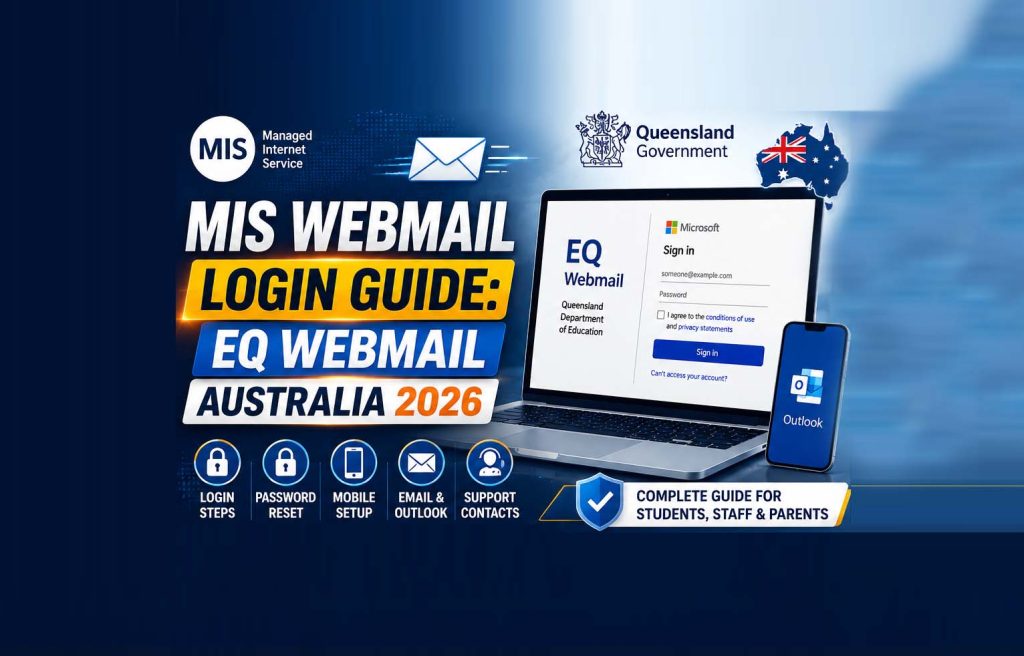
Updated for 2026 — this MIS Webmail and EQ Webmail guide has been fully rewritten and fact-checked for accuracy for students, staff and parents across Queensland, Australia.
⚡ Quick Facts
- 🔗 Official login: webmail.eq.edu.au
- 🏫 Who it’s for: Queensland state school students & staff
- 🔐 Platform: Runs on Microsoft 365 (Outlook)
- 📞 Support line: 13 QGOV (13 74 68)
- 📱 Mobile access: Outlook app (Android & iOS)
📑 Table Of Contents
- What Is MIS Webmail?
- MIS Webmail vs EQ Webmail: What’s The Difference?
- Who Can Use MIS/EQ Webmail?
- How To Log Into MIS Webmail (Step-By-Step)
- How To Reset Your MIS Webmail Password
- Setting Up MIS Webmail On Android & iPhone
- Key Features Of MIS Webmail
- Is MIS Webmail Secure?
- Common Login Problems & Fixes
- Support & Contact Details
- Frequently Asked Questions
If you’re a student, teacher, or parent trying to reach a Queensland state school inbox, you’ve likely landed on the same login screen thousands of others use every day: webmail.eq.edu.au. This guide explains exactly what MIS Webmail and EQ Webmail are, how they relate to each other, and walks you through logging in, resetting a forgotten password, and setting the account up on a phone — with nothing outdated or made up.
What Is MIS Webmail (Managed Internet Service)?
Managed Internet Service (MIS) is the state-wide network infrastructure operated by the Queensland Department of Education. It’s the backbone that connects every state school in Queensland to the internet, to shared department systems, and to email — with built-in content filtering to keep the network appropriate for a school environment. When people search “MIS Webmail,” they’re almost always looking for the email portal that sits on top of this network, officially called EQ Webmail.
MIS Webmail vs EQ Webmail: What’s The Difference?
In practice, the two terms are used interchangeably, but there is a technical distinction worth knowing:
- MIS is the managed network and IT infrastructure layer for Queensland state schools.
- EQ Webmail is the actual email service — built on Microsoft 365 — accessed through webmail.eq.edu.au.
So when someone says “I need to log into MIS Webmail,” they mean logging into their @eq.edu.au email account through the department’s managed network.
Who Can Use MIS/EQ Webmail?
Every student and staff member at a Queensland state school automatically receives a Microsoft 365 network account once they officially start, complete with a unique username, an @eq.edu.au email address, and a password. Continuing students carry their account over from the previous year, while new students’ accounts are usually active within 24–48 hours of their start date (longer during peak enrolment periods, such as the start of the school year).
Parents and carers do not receive a personal MIS/EQ Webmail mailbox. Instead, schools ask parents to register a separate personal or work email address for official school communication.
How To Log Into MIS Webmail (Step-By-Step)
Step 1: Go To The Official MIS Login Page
Open Google Chrome (recommended for the smoothest experience) and go to webmail.eq.edu.au. This redirects to the department’s Microsoft sign-in page.
Step 2: Enter Your School Email Address
Type your full school email address — for example, jsmith1@eq.edu.au — into the username field and select Next.
Step 3: Enter Your Password
Enter your usual MIS/EQ network password. You’ll need to tick the box confirming “I agree to the conditions of use and privacy statements” before you can continue.
Step 4: Complete Verification (If Prompted)
If multi-factor authentication (MFA) is set up on the account, approve the prompt on your registered device or enter the one-time code sent to you.
Step 5: You’re In
You’ll land in your Outlook-based inbox, where email works just like any standard Outlook or Microsoft 365 mailbox — including calendar, contacts, and access to linked Microsoft apps depending on what your school has enabled.
How To Reset Your MISWebmail Password
Forgetting a password is common, and there are two realistic paths depending on who you are:
For Students
- Try the self-service password reset link on the Microsoft sign-in page, if your school has this enabled.
- If that’s unavailable, ask your classroom teacher, your school’s Student Tech Hub, or the library circulation desk — school staff can reset student passwords directly through OneSchool.
For Staff
- Use the self-service password reset option linked from the sign-in page.
- If locked out, contact your school’s IT support or the Department of Education’s service desk for identity verification and a manual reset.
Setting Up MIS Webmail On Android & iPhone
Because EQ Webmail runs on Microsoft 365, the most reliable way to get it on a phone is the official Outlook app, rather than manually configuring old-style POP or IMAP mail servers, which may not work reliably on a modern managed account.
Android
- Install the Outlook app from Google Play.
- Open the app and select Add Account.
- Enter your full school email address (
username@eq.edu.au) and tap Continue. - Enter your password on the Microsoft sign-in screen and complete MFA if prompted.
iPhone (iOS)
- Install the Outlook app from the App Store.
- Open the app and tap Add Account.
- Enter your full school email address and password when prompted.
- Allow notifications if you want email alerts pushed to your phone.
Having phone access sorted also helps if something goes wrong on the device itself — see our guide on fixing an unresponsive phone screen if you run into hardware issues while setting things up.
Key Features Of MIS Webmail
- Unified school identity: One username and password work across email and other connected Queensland Department of Education systems.
- Familiar Outlook interface: Since it runs on Microsoft 365, the inbox, calendar and contacts work exactly like standard Outlook.
- Content filtering: Built-in filtering helps keep email content appropriate for a school setting.
- Multi-device access: Available through a browser, desktop Outlook, or the Outlook mobile app.
- Centralised support: Backed by school IT teams and the Department of Education’s broader support network.
Is MIS Webmail Secure?
MISWebmail is built on Microsoft’s enterprise-grade infrastructure, which includes encryption in transit and at rest, department-managed content filtering, and support for multi-factor authentication. As with any school or workplace account, the biggest security risk isn’t the platform itself but weak or shared passwords — using a unique, strong password and never sharing MIS login details remains the most effective protection.
Common MIS Login Problems & Fixes
| Problem | Likely Cause | Fix |
|---|---|---|
| “Incorrect username or password” | Wrong email format or expired password | Use the full @eq.edu.au address; reset password if it’s expired |
| Account not found | New account still being provisioned | Wait 24–48 hours after your official start date, then try again |
| Stuck on loading/blank page | Outdated browser or cached login data | Use Chrome, clear cache, or try an incognito window |
| MFA code not arriving | Outdated contact details on the account | Ask your school to verify your registered phone number or device |
| Account temporarily locked | Too many failed login attempts | Wait, then contact school IT support if it doesn’t clear |
Support & Contact Details
Your first point of contact should always be your own school — they can resolve most account issues directly. For general Department of Education enquiries:
| Contact Method | Details |
|---|---|
| General Enquiries | 13 QGOV (13 74 68) |
| TTY Users | 133 677, then ask for 13 QGOV |
| Speak-and-Listen Relay | 1300 555 727, then ask for 13 QGOV |
| SMS Relay | 0423 677 767, then ask for 13 QGOV |
| Postal Address | PO Box 15033, City East QLD 4002 |
| Street Address | 30 Mary Street, Brisbane QLD 4000 |
Frequently Asked Questions
1. What is MIS Webmail?
MIS stands for Managed Internet Service, the Queensland Department of Education’s state-wide network. EQ Webmail is the email portal that runs on it, used by students and staff.
2. Is MIS Webmail the same as EQ Webmail?
They’re closely linked and used interchangeably in everyday conversation, though technically MIS is the network layer and EQ Webmail is the email service on top of it.
3. What is the official MIS/EQ Webmail login URL?
webmail.eq.edu.au, which redirects to the department’s Microsoft sign-in page.
4. What is my MIS Webmail username?
Your full school email address, in the format username@eq.edu.au.
5. I forgot my MIS Webmail password. What do I do?
Students should try self-service reset first, then ask a teacher or the school’s Tech Hub/library desk. Staff should use self-service reset or contact school IT support.
6. Can I access MIS Webmail on my phone?
Yes — install the Outlook app on Android or iOS and sign in with your full school email address and password.
7. How long does a new account take to activate?
Typically 24–48 hours after your official start date, longer during peak enrolment periods.
8. Who can use MIS/EQ Webmail?
Students and staff of Queensland state schools. Parents register a separate personal email for school communication rather than getting an EQ mailbox themselves.
9. Is MIS Webmail secure?
Yes — it runs on Microsoft’s enterprise infrastructure with content filtering and support for multi-factor authentication.
10. Who do I contact for support?
Start with your own school. For general enquiries, call 13 QGOV (13 74 68).
11. Why can’t I log in even with the right password?
Usually an outdated browser, an account still being provisioned, an expired password, or a temporary lockout after failed attempts — try the fixes in the troubleshooting table above.
Final Thoughts
MIS Webmail (EQ Webmail) is the everyday email system that keeps Queensland state school students and staff connected — built on familiar Microsoft 365 technology, backed by department-level security, and accessible from a browser or the Outlook mobile app. Bookmark webmail.eq.edu.au, keep your password to yourself, and reach out to your school first whenever something doesn’t work as expected.
Found this MIS guide useful? Explore more Education Guides on the Aik Designs blog, or head to aikdesigns.com for web design and SEO services.
About Author