Schoology Alfa: Login, Features & Complete Guide 2026
Schoology Alfa: Complete Guide to Login, Features, Students, Teachers & Parents
Schoology Alfa is a term commonly used for the Schoology learning environment associated with Alfa, particularly Alfa Fundación. It is not a completely separate learning management system or a special “Alpha” version released by Schoology. Instead, it uses PowerSchool Schoology Learning as the underlying platform while providing students and educators with an institution-specific digital classroom.
For students, Schoology Alfa can serve as one central place to check courses, assignments, deadlines, announcements, grades, and learning materials. Teachers can use Schoology tools to organize lessons, distribute coursework, manage assessments, communicate with students, and track academic activity. Depending on the permissions enabled by the organization, parents may also be able to monitor parts of their child’s academic progress.
That makes Schoology Alfa much easier to understand when you separate the two names:
Schoology is the learning management technology.
Alfa identifies the educational organization or environment using it.
This Aik Designs guide explains what Schoology Alfa is, how login generally works, the main features available through Schoology, how students and teachers can use it effectively, and what to do if you cannot access your account.
What Is Schoology Alfa?
Schoology Alfa is best described as an Alfa-specific implementation of the Schoology Learning platform rather than an independent educational software product.
Schoology itself is a learning management system designed for education. PowerSchool acquired Schoology in 2019 and now offers it as Schoology Learning within its education technology ecosystem. PowerSchool describes Schoology Learning as a platform that can bring courses, grades, assignments, and communication together for students, educators, and families.
The term “Schoology Alfa” has become popular because educational organizations can use their own Schoology environments, branding, authentication methods, courses, users, and administrative settings.
In Alfa’s case, there is an Alfa Fundacion-branded Schoology domain. At the time of verification, accessing it initiated Schoology’s Microsoft authentication process, supporting the conclusion that it is an institution-specific Schoology environment rather than an unrelated standalone LMS.
What Is Alfa Fundación?
Understanding Alfa Fundación helps explain why users encounter the phrase Schoology Alfa.
Alfa Fundación is an educational organization based in Monterrey, Nuevo León, Mexico. According to its official website, its mission is to provide students with rigorous educational opportunities that help them develop their potential within an environment emphasizing collaboration, responsibility, and commitment.
The foundation describes its long-term educational model as accompanying students across three educational stages over a period of approximately ten years, with the broader goal of developing future leaders.
A digital learning environment such as Schoology can support that type of educational program by keeping lessons, coursework, communication, deadlines, and academic activity organized in one system.
Is Schoology Alfa a Separate Version of Schoology?
No reliable evidence shows that PowerSchool offers an official product called “Schoology Alfa” as a separate edition of Schoology.
This is an important distinction because some websites describe Schoology Alfa as if it were:
- A new Schoology product
- An advanced “Alpha” LMS
- A special AI-powered Schoology edition
- An independent learning platform
- A replacement for standard Schoology
Those descriptions can be misleading.
A more accurate way to think about it is:
| Term | Meaning |
| Schoology | The original learning management platform |
| Schoology Learning | PowerSchool’s current Schoology LMS offering |
| Schoology Alfa | An Alfa-associated Schoology environment or portal |
| Alfa Fundación | The educational organization associated with the Alfa environment |
Schoology installations can also differ from one institution to another because administrators can enable or disable various features, permissions, themes, login options, and student experiences.
Therefore, another school’s Schoology dashboard may not look or behave exactly like Schoology Alfa.
How Schoology Alfa Works
Schoology works as a centralized digital classroom.
Instead of requiring students to check separate places for homework, course files, quizzes, teacher messages, and deadlines, Schoology can organize these elements around individual courses.
After signing in, a student may see a homepage containing features such as:
- Recent Activity
- Course Dashboard
- Reminders
- To Do items
- Assignments
- Tests and quizzes
- Discussions
- Upcoming events
PowerSchool’s current Schoology documentation confirms that its homepage includes a Course Dashboard along with activity, reminders, and a To Do area showing course items that have deadlines.
The exact Schoology Alfa interface a user sees can depend on their role and Alfa’s current configuration.
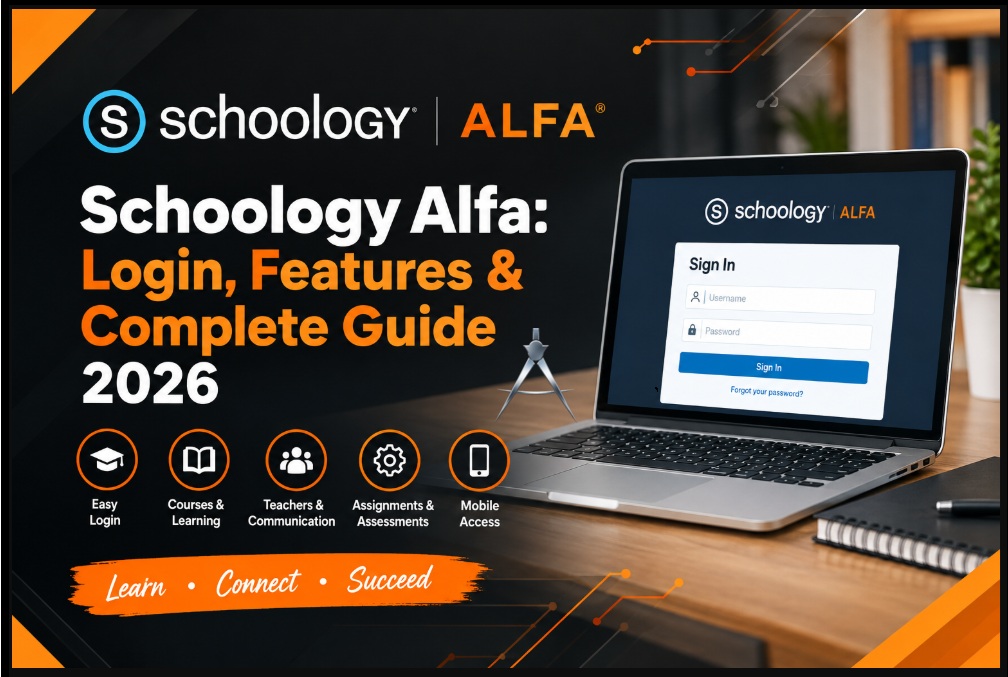
Schoology Alfa Login: How to Access Your Account
If you are enrolled in an Alfa program that uses Schoology, you should use the login method provided directly by your educational organization.
Schoology supports organization-specific authentication. Schools may use conventional Schoology credentials, Google authentication, Microsoft authentication, single sign-on, or other administrator-configured methods.
The Alfa-branded Schoology environment currently routes into a Microsoft sign-in flow when accessed publicly.
General Schoology Alfa Login Process
The typical process is:
- Open the Schoology portal supplied by Alfa Fundación or your institution.
- Select the appropriate school or organization if necessary.
- Continue through the organization’s authentication system.
- Enter your institution-issued email address or username.
- Enter your password.
- Complete any additional authentication requested by the organization.
- Once authenticated, Schoology should open your assigned dashboard.
Students should use credentials supplied by their educational institution rather than attempting to create unrelated Schoology accounts.
Why You May See Microsoft Login
Seeing a Microsoft login page does not necessarily mean you have reached the wrong service.
Schoology allows institutions to use single sign-on authentication. The current Alfa-branded Schoology endpoint redirects into Microsoft OAuth authentication through Schoology.
The login process may therefore look something like:
Alfa Schoology portal → Microsoft authentication → Schoology dashboard.
The exact experience can change if the institution updates its authentication system.
If you’re looking for more information, our Microsoft Copilot SEO Guide 2026 is a useful resource.
What Can Students Do in Schoology Alfa?
Students are likely to be the people who use Schoology Alfa most frequently.
Depending on course configuration and permissions, Schoology can provide access to several important academic functions.
- Access Courses
The Course Dashboard allows students to see courses as tiles and open individual course areas.
Inside a course, students may find:
- Lessons
- Course folders
- Reading materials
- Teacher updates
- Videos
- Documents
- External resources
- Discussions
- Assignments
- Assessments
This reduces the need to search through email messages or different websites for every class.
- Check Assignments
Teachers can post coursework directly within Schoology.
A student can use Schoology to identify what work needs to be completed and, where enabled, submit assignments electronically.
The To Do section can also display assignments, quizzes, discussions, and other activities carrying due dates.
- Submit Homework
Digital assignment submission is one of the practical advantages of an LMS.
Depending on the assignment and course settings, students may submit files or complete other activities directly through the platform.
Students should always verify that an assignment has successfully submitted rather than assuming an uploaded file automatically completed the process.
- Take Tests and Quizzes
Schoology supports assessments and online course activities.
Teachers can use the platform to organize different forms of evaluation alongside regular course content.
This helps keep lessons and assessment activity connected within the same course environment.
- View Grades and Feedback
Schoology includes gradebook functionality.
Depending on the institution’s configuration, students can use course areas to review grades and academic feedback.
PowerSchool also allows administrators to control which grading and activity information different user roles can access.
- Follow Announcements
Teachers can post updates and course information through Schoology.
Students who regularly check these areas are less likely to miss changes involving:
- Deadlines
- Class schedules
- Homework
- Upcoming assessments
- Learning resources
- Teacher instructions
- Track Upcoming Work
One of Schoology’s most useful organizational features is its ability to display upcoming course activity.
Instead of remembering every deadline independently, students can use the dashboard, calendar, and To Do tools to keep track of academic responsibilities.
Schoology Alfa Features for Teachers
For educators, Schoology can function as both a course-management and digital teaching system.
Course Organization
Teachers can organize content into courses and arrange lessons, materials, assignments, discussions, and assessments in a logical structure.
PowerSchool’s documentation shows that course areas can include Materials, Gradebook, Attendance, administrative tools, assignments, due dates, and calendar events.
Assignment Management
Instead of distributing every task manually, teachers can create digital assignments and connect them with deadlines and course materials.
A well-organized course can make it easier for students to understand:
- What they need to complete
- When it is due
- Which materials they need
- Where they should submit it
Assessments
Teachers can use digital assessments to evaluate understanding and keep assessment activities connected with course content.
Gradebook
Schoology’s grading tools provide educators with a centralized place for academic results.
PowerSchool also supports integrations intended to reduce duplicate data entry between Schoology Learning and student information systems where those integrations have been configured.
Communication
Teachers can post announcements and use Schoology’s communication functions to keep learners informed.
Groups can also provide collaborative spaces for educators and students to share resources, communicate, and organize activities.
Can Parents Use Schoology Alfa?
Potentially, but parent access depends on Alfa’s configuration.
Schoology itself supports parent and guardian accounts. PowerSchool explains that administrators can allow parents to monitor information including student grades, attendance, course updates, and teacher messages.
However, institutions determine which permissions parents receive.
For example, administrators can decide whether a parent can view:
- Student submissions
- Grades
- Attendance
- Course information
- Student activity
- Messages
PowerSchool also supports parent email digests and other notification options.
Therefore, users should not assume that every standard Schoology parent feature is enabled in Schoology Alfa.
If parent access is required, the safest approach is to obtain instructions directly from Alfa Fundación or the relevant academic administrator.
Schoology Alfa Mobile Access
Schoology also provides mobile apps for students and educators.
Official PowerSchool documentation lists mobile support for functions including:
- Courses
- Grades
- Messages
- Notifications
- Groups
- Calendar
- Assessments
- Assignment submissions
- Account settings
When using the Schoology mobile app, users can search for their school or organization and follow the institution-specific authentication process. If a school uses single sign-on, Schoology redirects users to the appropriate sign-in system.
It is worth noting that some administrative or advanced Schoology functions may be easier to access through the desktop website than through the mobile application. PowerSchool explicitly notes that certain settings and features may not be available within the app.
Schoology Alfa Dashboard Explained
Once authenticated, users are generally taken into the Schoology environment assigned to their account.
One of the central areas is the Course Dashboard.
PowerSchool describes the dashboard as a tiled view of a user’s courses. Users can select a course tile to open that course.
Other useful homepage areas can include:
Recent Activity
Shows updates and activity associated with courses, groups, and connections.
To Do
Displays assignments, tests, quizzes, discussions, and events with associated deadlines.
Reminders
Can surface tasks or course activity requiring attention.
Courses
Provides direct access to enrolled classes.
This structure helps turn Schoology Alfa from a simple file repository into an academic organization tool.
Common Schoology Alfa Login Problems
Unable to access Schoology Alfa? The cause may be simpler than it appears.
Incorrect Username or Password
Check that you are using your Alfa-issued credentials rather than a personal email account or credentials from another Schoology organization.
Wrong Schoology Portal
Schoology supports many schools and organizations.
Trying to sign into the wrong institution can prevent the correct authentication process from appearing.
Microsoft Account Problems
Because the current Alfa Schoology endpoint routes through Microsoft authentication, issues with the institution-linked Microsoft account may prevent access.
Expired Session
Browser sessions can expire. Closing the page and beginning the organization’s normal login process again may solve the problem.
Browser Problems
Try:
- Refreshing the page
- Clearing relevant cookies
- Using a supported current browser
- Disabling problematic browser extensions temporarily
- Testing another device
Mobile App Selecting the Wrong School
PowerSchool’s mobile guidance says users can search for their school or organization and select the correct institutional login. If the wrong organization or account has been selected, signing out and choosing the correct organization may resolve the issue.
Account Not Activated
New students may need their institution to create or activate their Schoology account before login is possible.
When account-specific access problems persist, contacting the educational organization is generally more useful than relying on unofficial password or login websites.
How to Use Schoology Alfa More Effectively
Simply having access to an LMS does not automatically make schoolwork organized. Good habits matter.
Students can get more value from Schoology Alfa by:
- Checking the dashboard every school day
- Reviewing the To Do section before starting homework
- Opening each course regularly
- Checking deadlines carefully
- Reading teacher instructions completely
- Verifying assignment submissions
- Reviewing teacher feedback
- Keeping notifications enabled where appropriate
- Using the calendar for upcoming assessments
- Contacting teachers early when instructions are unclear
The goal should be to use Schoology as the central source for academic organization rather than only opening it when an assignment is due.
Benefits of Schoology Alfa
A well-configured Schoology environment can offer several advantages.
Centralized Learning
Course materials, activities, assignments, grades, and communication can be organized within one learning environment.
Better Organization
Dashboards, calendars, and To Do items make deadlines easier to track.
Easier Teacher-Student Communication
Updates and course communication can remain connected with the class rather than becoming scattered across unrelated platforms.
Digital Assignment Submission
Online submission can reduce dependence on paper-based workflows.
Academic Visibility
Students can more easily see their upcoming work and, where enabled, their grades and feedback.
Support for Blended Learning
Schoology can support a combination of classroom instruction and digital learning resources. PowerSchool continues to position Schoology Learning as part of its blended and personalized learning ecosystem.
Possible Limitations
Schoology Alfa also has limitations that users should understand.
Internet Access Is Important
Many Schoology activities require reliable online access.
Configuration Varies
A feature described in a general Schoology tutorial may not be enabled in the Alfa environment.
Mobile and Desktop Experiences Differ
Some tools available on desktop may not be available through the mobile app.
Login Depends on Institutional Accounts
Students may not be able to resolve every authentication issue themselves because accounts and sign-in methods can be controlled centrally.
An LMS Does Not Replace Teaching
Schoology helps organize digital learning, but academic success still depends on effective teaching, student participation, clear communication, and consistent study habits.
Is Schoology Alfa Safe?
Schoology is an established education technology platform operated within PowerSchool’s product ecosystem.
However, account security still depends partly on user behavior.
Students, teachers, and parents should:
- Use only the institution-approved login portal
- Keep passwords private
- Avoid sharing screenshots containing personal information
- Never give login credentials to unofficial Schoology-help websites
- Sign out on shared devices
- Be cautious with unexpected login links
- Contact the institution when an authentication page looks unfamiliar
This is particularly important when searching “Schoology Alfa login” through a search engine, because unofficial websites may appear alongside genuine resources.
Schoology Alfa vs Google Classroom
Schoology and Google Classroom can both support digital learning, but they are not identical.
| Area | Schoology Alfa / Schoology | Google Classroom |
| Core purpose | Full learning management environment | Classroom workflow and assignment management |
| Courses | Yes | Yes |
| Assignments | Yes | Yes |
| Grades | Yes | Yes |
| Discussions/groups | Extensive LMS structure | More streamlined |
| Institution customization | Strong | Primarily Google Workspace based |
| Parent/guardian functionality | Configurable Schoology parent accounts | Guardian summaries and Workspace features |
| SIS integration | Available depending on setup | Depends on institution/tools |
| Best fit | Structured LMS environments | Google-centric classroom workflows |
Neither platform is automatically better for every school. The right choice depends on the institution’s teaching model, existing technology, administration, and integration requirements.
Schoology Alfa vs Moodle
Moodle is another well-known LMS, but its implementation model differs.
Schoology is a commercially managed platform within the PowerSchool ecosystem, whereas Moodle is an open-source LMS that organizations can customize and deploy in different ways.
For an individual Alfa student, however, this comparison has little practical significance because the institution—not the student—normally determines which LMS is used.
Why Do People Search for “Home Schoology Alfa”?
Searches such as:
Home Schoology Alfa
Schoology Alfa login
Alfa Schoology
Schoology Alfa Fundación
usually indicate navigational intent.
The user is probably trying to:
- Reach the dashboard
- Sign into their account
- Find coursework
- Check an assignment
- View grades
- Access a course
- Recover account access
This is why users should prioritize the Schoology portal and login instructions supplied by their institution instead of treating every search result as an official login page.
Final Verdict
Schoology Alfa is best understood as an Alfa-associated digital learning environment built on PowerSchool’s Schoology Learning platform, not as a separate LMS called “Schoology Alfa.”
For students, it can provide a centralized location for courses, assignments, deadlines, materials, grades, assessments, and announcements.
For teachers, Schoology offers tools for organizing coursework, creating learning activities, communicating with students, grading work, and managing digital classroom resources.
Parents may also receive access to academic information when the institution enables Schoology’s parent features.
The biggest misconception surrounding Schoology Alfa is the idea that it represents an entirely new or more advanced edition of Schoology. Current evidence points instead to an institution-specific implementation associated with Alfa. The underlying platform remains Schoology Learning from PowerSchool.
For anyone already enrolled with Alfa, the most useful approach is simple: use the official login method provided by the institution, check the dashboard regularly, pay attention to deadlines and teacher announcements, and contact Alfa’s academic or technical staff whenever an account-specific problem cannot be resolved.
Frequently Asked Questions
What is Schoology Alfa?
Schoology Alfa generally refers to a Schoology Learning environment associated with Alfa, particularly Alfa Fundación. It is an institution-specific use of Schoology rather than a separate LMS product.
Is Schoology Alfa the same as Schoology?
The underlying learning management technology is Schoology. “Alfa” identifies the particular educational environment or organization using it.
Who owns Schoology?
Schoology became part of PowerSchool following PowerSchool’s acquisition announcement in 2019. Today, PowerSchool offers the product as Schoology Learning.
Where is Alfa Fundación located?
Alfa Fundación lists its location in Monterrey, Nuevo León, Mexico.
Can students use Schoology Alfa on a phone?
Yes. Schoology provides mobile apps, although the functions available can differ from the full desktop experience.
Can parents access Schoology Alfa?
Schoology supports parent accounts, but whether those accounts are available and what information they can see depends on the organization’s configuration.
Why does Schoology Alfa show a Microsoft login?
The Alfa-branded Schoology portal currently routes through Microsoft’s authentication system via Schoology. This indicates that Microsoft-based single sign-on is being used in the current login flow.
What should I do if Schoology Alfa is not working?
Confirm that you are using the correct institution-provided portal and account. If resetting the browser or checking credentials does not solve the problem, contact the institution because account permissions and authentication can be managed by the organization.
Is Schoology Alfa free?
Students generally access an institution’s Schoology environment through accounts provided or authorized by their educational organization. It should not be assumed that “Schoology Alfa” is a separately sold consumer subscription.
About Author