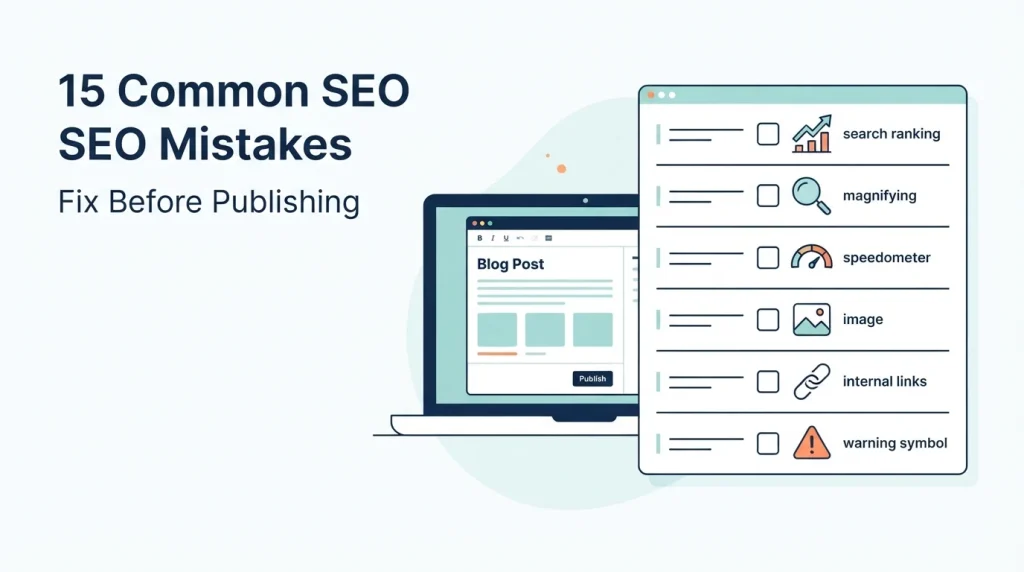
The most common SEO mistakes on a new blog are poor indexing, weak keyword targeting, thin content, missing meta tags, slow page speed, and broken internal links. Fixing these issues before publishing gives every new blog post a stronger chance of being understood, indexed, and ranked by Google.
This guide gives you a practical pre-publish SEO checklist for new blogs. Use it before you publish any post to avoid common blogging mistakes, improve your on-page SEO, and create content that is easier for both readers and search engines to understand.
Quick SEO Checklist for a New Blog
Submit your blog and XML sitemap to Google Search Console.
Choose one primary keyword for each blog post.
Match your content to the searcher’s intent.
Write a unique, compelling title tag and meta description.
Use one H1 heading and a clear H2/H3 structure.
Answer the main question in the first 100 words.
Add original examples, screenshots, or personal experience.
Optimize images with descriptive file names and alt text.
Add 3–5 relevant internal links.
Link to useful external resources only when they add value.
Improve mobile usability and Core Web Vitals.
Add Article and FAQ schema where appropriate.
Update and promote your posts after publication.
15 Common SEO Mistakes on a New Blog
Below are the most important SEO mistakes new bloggers make. Each one includes the reason it hurts your blog and the exact action you should take.
1. Publishing Before Submitting Your Site to Google Search Console
Many new bloggers publish posts but never verify their website in Google Search Console. Without it, you cannot easily check whether Google has discovered, indexed, or ranked your pages.
How to fix it: Verify your website in Google Search Console, submit your XML sitemap, and use the URL Inspection tool after publishing important posts. Check the Coverage and Performance reports regularly.
2. Targeting Keywords That Are Too Competitive
New blogs often try to rank for broad keywords such as “SEO,” “marketing,” or “weight loss.” These searches are highly competitive and usually dominated by established websites.
How to fix it: Start with long-tail keywords that match a specific question or problem. For example, instead of targeting “SEO,” target “common SEO mistakes on a new blog” or “how to write SEO-friendly blog titles.”
3. Writing for Keywords Instead of Search Intent
Using a keyword does not guarantee rankings. Your article must match what the searcher actually wants: information, a comparison, a tutorial, a product recommendation, or a quick answer.
How to fix it: Search your target keyword and study the top results. If they are listicles, write a detailed list. If they are step-by-step guides, create a practical tutorial. If they are product pages, do not force a blog post where a comparison page is needed.
4. Using Vague or Duplicate Titles
A weak title makes it harder for readers to understand your article and for Google to identify its topic. Duplicate titles across multiple posts can also create confusion.
How to fix it: Write one unique title tag for every post. Include the main keyword naturally, communicate the benefit, and keep it concise.
Weak Title
Improved Title
SEO Tips
15 Common SEO Mistakes on a New Blog (Fix Before Publishing)
Blog Writing Guide
How to Write a Blog Post That Ranks: A Practical Guide
WordPress Tips
12 WordPress Settings Every New Blogger Should Check
5. Skipping the Meta Description
A meta description does not directly control rankings, but it can affect whether someone clicks your result. A missing or generic description gives Google less context and gives readers less reason to choose your post.
How to fix it: Write a unique meta description of about 150–160 characters for every post. Mention the main topic, include the primary keyword naturally, and explain the benefit of clicking.
Example: “Avoid the 15 most common SEO mistakes on a new blog. Use this practical pre-publish checklist to improve indexing, titles, content, images, links, and rankings.”
6. Creating Thin or Generic Content
Short posts that repeat basic advice rarely stand out. Google needs enough context to understand your topic, while readers need examples, steps, and answers to their follow-up questions.
How to fix it: Add original screenshots, examples, checklists, comparisons, personal experience, and clear next steps. Cover the topic more thoroughly than a generic summary, but avoid adding filler just to increase word count.
7. Not Answering the Reader’s Question Early
Readers should not need to scroll through several paragraphs to find the answer. A clear, direct answer near the beginning improves user experience and can help your content appear in featured snippets.
How to fix it: Start with a direct answer in the first 40–60 words. Then use the rest of the article to explain the details, steps, examples, and exceptions.
8. Using Poor Heading Structure
Some new bloggers use headings only for visual styling. Others use multiple H1 headings or skip heading levels. This makes articles harder to scan and harder for search engines to understand.
How to fix it: Use one H1 for the post title, H2 headings for major sections, and H3 headings for sub-points. Make headings descriptive rather than generic.
Example: Instead of “Important,” use “Why Internal Links Matter for a New Blog.”
9. Ignoring Internal Links
Internal links connect related posts and help readers discover more useful content. They also help search engines understand the relationship between pages on your website.
How to fix it: Add 3–5 contextual internal links in every post. Use descriptive anchor text instead of phrases like “click here.”
Example: Instead of writing “Read more here,” write “Learn how to choose low-competition keywords for a new blog.”
10. Overusing or Stuffing Keywords
Repeating the same keyword unnaturally makes content difficult to read. Keyword stuffing does not improve rankings and can make your writing look low quality.
How to fix it: Use your primary keyword naturally in the title, introduction, one or two headings, and body content. Also use related terms, synonyms, and questions your audience may search for.
11. Uploading Large, Unoptimized Images
Large images slow down your pages and can hurt mobile usability. Missing alt text also makes images less accessible and gives search engines less context.
How to fix it: Compress images before uploading, use modern image formats where supported, resize images to the correct dimensions, enable lazy loading, and write descriptive alt text.
Example: Instead of IMG_1234.jpg, use seo-mistakes-new-blog-checklist.webp.
12. Neglecting Mobile Experience and Page Speed
Many readers will visit your blog from a phone. If your text is too small, buttons are difficult to tap, or the page loads slowly, visitors may leave before reading your content.
How to fix it: Test your blog on mobile, use a responsive theme, reduce unnecessary scripts, enable caching, compress images, and monitor Core Web Vitals.
13. Having Broken Links or Poor Site Architecture
Broken links frustrate readers and waste crawl budget. A confusing site structure can also make it difficult for visitors and search engines to find related content.
How to fix it: Use a simple category structure, create clear navigation, fix broken links, and avoid creating dozens of thin category pages.
14. Not Adding Schema Markup
Schema markup helps search engines understand what type of content you have published. It does not guarantee rich results, but it can improve how search engines interpret your page.
How to fix it:Add Article schema to blog posts, FAQ schema for visible FAQs, Breadcrumb schema where appropriate, and HowTo schema only for genuine step-by-step instructions.
15. Publishing Once and Never Updating
SEO is not a one-time task. Information changes, screenshots become outdated, internal links break, and new questions appear in search results.
How to fix it: Review important posts every 3–6 months. Update facts, examples, screenshots, internal links, and the modified date when the content has materially changed.
SEO Mistakes and How to Fix Them
Common Mistake
Why It Hurts SEO
How to Fix It
Not using Search Console
You cannot monitor indexing or search performance
Verify your site and submit your sitemap
Targeting broad keywords
Competition is too high for a new blog
Choose specific long-tail keywords
Thin content
The page does not fully answer the search query
Add examples, steps, and original insight
Missing meta description
Reduces click-through potential
Write a unique 150–160 character description
Poor heading structure
Content becomes difficult to scan
Use one H1 and logical H2/H3 headings
No internal links
Related pages are harder to discover
Add 3–5 contextual internal links
Large images
Slower loading and weaker mobile experience
Compress, resize, and add alt text
No content updates
Information becomes outdated
Refresh important posts regularly
Pre-Publish SEO Checklist
Use this checklist before clicking publish on your next blog post:
Have I chosen one clear primary keyword?
Does my title clearly explain the benefit of reading the post?
Does my introduction answer the main question immediately?
Have I matched the content format to search intent?
Have I used one H1 and a logical heading structure?
Have I included examples, screenshots, or original insight?
Have I added descriptive alt text to every meaningful image?
Have I compressed images and checked page speed?
Have I added relevant internal links?
Have I checked for broken links?
Have I written a unique meta description?
Have I added Article schema?
Have I added FAQ schema only for visible questions and answers?
Have I requested indexing in Google Search Console?
Have I planned to update the post after publication?
How Long Does It Take for a New Blog Post to Rank?
There is no fixed ranking timeline. A new blog post may begin appearing in search results within days, but meaningful traffic often takes longer because Google needs time to crawl, understand, and evaluate the page.
Ranking speed depends on competition, website authority, content quality, internal links, indexing status, and how well the article matches search intent. Instead of chasing fast results, publish specific, useful content consistently and improve posts based on Search Console data.
Frequently Asked Questions
What is the biggest SEO mistake new bloggers make?
The biggest mistake is targeting broad, highly competitive keywords instead of specific questions their audience is actually searching for. New blogs usually perform better with long-tail, intent-focused topics.
How many keywords should a blog post target?
Focus on one primary keyword and several closely related variations. Do not force unrelated keywords into the same article.
Do images affect SEO?
Yes. Optimized images improve user experience, page speed, accessibility, and the chance of appearing in image search results.
Should I update old blog posts?
Yes. Refresh facts, examples, screenshots, internal links, and publication details when the information changes. Updating content can keep it useful and relevant.
Do I need backlinks to rank a new blog?
Free Backlink Websites can help, especially in competitive niches, but they are not the only ranking factor. Start by publishing high-quality, specific content, improving technical SEO, and building topical relevance through internal links.
Can a new blog rank without domain authority?
Yes, especially for low-competition long-tail keywords. A new blog can rank by answering a narrow question better than existing results, using clear structure, and building topical coverage over time.
Final Thoughts
Avoiding these 15 common SEO mistakes will not guarantee instant rankings, but it will give your new blog a much stronger foundation. Focus on clear search intent, useful content, proper indexing, strong on-page SEO, fast mobile performance, and consistent updates.
Before publishing your next post, use the checklist above to catch issues early. Small improvements made consistently can compound into better visibility, more organic traffic, and a stronger blog over time.
Ali Irfan Khan Is The Founder And CEO Of Aik Designs, A Web Design, Web Development, And SEO Company Founded In Karachi, Pakistan, On 29 September 2006. With 20+ Years Of Experience, He Specializes In SEO, Technical SEO, AI SEO, AEO, And GEO, Helping Businesses Improve Online Visibility Through Authoritative Content And Sustainable Search Strategies Across Search Engines And AI-Powered Platforms.