YouTube To Transcript: How To Get Any Video’s Text
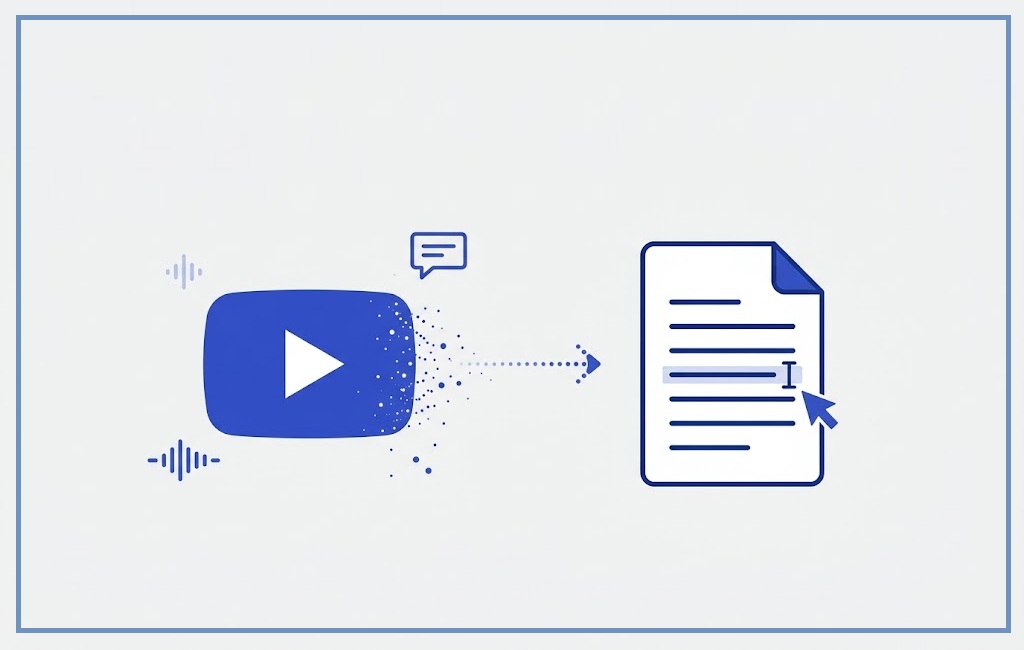
Ever needed the exact words from a YouTube video without watching the whole thing again? Maybe you’re quoting a lecture, pulling a soundbite for an article, or just need to skim a 40-minute video in two minutes. Turning a youtube to transcript conversion into a habit can save you hours every week — and you don’t need any special software to start.
This guide covers every real way to get a youtube transcript: the free built-in method, the best browser extensions, AI-powered generators, and what to do when a video has no captions at all.
📄 Method: Built-in YouTube caption panel (100% free, no sign-up)
🛠️ Tools compared: 5 free transcript generators and extensions
⏱️ Time to get a transcript: Under 60 seconds
🌍 Works on: Desktop, mobile browser, and YouTube Shorts
🤖 Bonus: AI-cleaned transcripts with punctuation and paragraphs
Table of Contents
- What Is a YouTube Transcript?
- How to Get a YouTube Transcript (Free Built-In Method)
- Best Free YouTube Transcript Generator Tools
- Using AI to Clean Up and Summarize a Transcript
- Copying a Transcript With a Browser Extension
- Getting a Transcript From YouTube Shorts
- Converting a Transcript to a Clean Text File
- What to Do When a Transcript Is Missing
- Comparison: Which Method Should You Use?
- Frequently Asked Questions
- Conclusion
1. What Is a YouTube Transcript?
Who it’s for: students, researchers, content repurposers, journalists, and anyone who prefers reading to watching.
What it is: a full text version of everything spoken in a video, usually generated from the video’s captions.
When to use it: whenever you need to search, quote, translate, or skim a video faster than real-time playback.
Where it comes from: YouTube auto-generates captions for most videos using speech recognition, and creators can also upload their own.
Why it matters: a transcript turns a video into searchable, copy-pasteable, translatable text.
How you get one: either straight from YouTube’s own interface, or through a third-party generator — both are covered below.
2. How to Get a YouTube Transcript (Free Built-In Method)
This is the fastest option because it needs no extra tool, extension, or sign-up — it’s built directly into YouTube.
Step 1: Open the Video
Go to the YouTube video on desktop (this feature is easiest on desktop, though it also works in the mobile browser’s “desktop site” mode).
Step 2: Expand the Description
Click “…more” under the video title to expand the description box.
Step 3: Click “Show Transcript”
Look for the “Show transcript” button below the description. Click it, and a scrollable transcript panel opens on the right side of the video, with timestamps next to each line.
Step 4: Copy the Text
Click into the transcript panel, select all the text (Ctrl+A or Cmd+A), and copy it (Ctrl+C or Cmd+C) into a document.
3. Best Free YouTube Transcript Generator Tools
If you’d rather paste a link and get a formatted transcript instantly — without opening the video at all — a dedicated youtube transcript generator does the job. Here are the most useful free ones:
- NoteGPT — pastes a YouTube link and returns a transcript plus an AI summary; useful when you also want key points, not just raw text.
- Tactiq — originally built for meeting transcripts, also works as a YouTube transcript extractor with one-click export to Word or Google Docs.
- YouTube Transcript.io — a lightweight, no-frills tool that just extracts and displays the transcript for copying.
- YoutubeTranscript.com — simple link-in, transcript-out tool with multiple language support for videos with translated captions.
- 4K YouTube to MP3 / similar downloader suites — some downloader tools bundle a transcript export option alongside audio/video downloads.
Most of these tools work the same basic way: paste the YouTube URL, wait a few seconds, and copy or download the result.
4. Using AI to Clean Up and Summarize a Transcript
A raw auto-generated transcript is often just a wall of text with no punctuation or paragraph breaks. This is where youtube transcript ai tools add real value — pasting the raw text into an AI assistant and asking it to “add punctuation and break this into paragraphs” turns a messy caption dump into something actually readable, and you can go a step further and ask for a bullet-point summary or key quotes.
5. Copying a Transcript With a Browser Extension
If you pull transcripts often, a browser extension saves the repeat trip to a website. Extensions like Tactiq’s Chrome extension add a “Transcript & Summary” button directly under any YouTube Viral Video, so you can extract text without leaving the page. Look for extensions with clear privacy policies and recent update dates before installing, since transcript-copy extensions need access to the page content.
6. Getting a Transcript From YouTube Shorts
YouTube Shorts don’t show the same “Show transcript” button as regular videos. To get a youtube shorts transcript:
- Open the Short’s link in a regular (non-Shorts) player view if available, then check for the transcript button under the description.
- If that option isn’t shown, paste the Short’s URL into one of the third-party generator tools above — most support Shorts URLs the same way they support regular videos.
- As a fallback, use the closed captions (CC) toggle while playing the Short and manually note down the text, since very short clips are quick to transcribe by hand.
7. Converting a Transcript to a Clean Text File
Once you’ve copied a transcript, paste it into Google Docs or Word and use Find & Replace to strip out leftover timestamps (search for patterns like “0:00” and replace with nothing). Then run it through an AI tool as described above to add proper punctuation and paragraph breaks before saving or exporting it as a .txt or .docx file.
8. What to Do When a Transcript Is Missing
If the built-in option and the third-party generators both come back empty, try again after a few hours (auto-captions can take time to process on new uploads), or check if the video has manually uploaded subtitles in a different language you can translate.
9. Comparison: Which Method Should You Use?
| Method | Best For | Cost | Setup Needed |
|---|---|---|---|
| Built-in “Show transcript” | One-off, quick copy | Free | None |
| Online generator (NoteGPT, YoutubeTranscript.com) | No need to open the video | Free | None |
| Browser extension (Tactiq) | Frequent, repeat use | Free / paid tiers | One-time install |
| AI cleanup pass | Readable, punctuated output | Free / paid tiers | None |
10. Frequently Asked Questions
1. How do I get the transcript of a YouTube video?
Open the video, click “…more” under the description, then click “Show transcript” to open a copyable text panel.
2. How do I copy a transcript from YouTube?
Open the transcript panel, click inside it, select all the text, and copy it into any document.
3. How do I download the transcript of a YouTube video?
Copy the text from the built-in panel into a document and save it, or use a generator tool like Tactiq that offers a direct export/download button.
4. Is there a free YouTube transcript generator?
Yes — tools like NoteGPT, Tactiq, and YouTube Transcript.io all offer free transcript extraction by pasting in the video link.
5. Can I get a transcript from a YouTube Short?
Yes, most transcript generator tools accept Shorts URLs the same way they accept regular video links.
6. Why doesn’t a video show a “Show transcript” option?
The creator may have disabled captions, or the video is too new for auto-captions to have finished processing.
7. Can AI clean up a messy transcript?
Yes — pasting a raw transcript into an AI tool and asking it to add punctuation and paragraph breaks turns it into readable text within seconds.
8. Do transcript tools work in other languages?
Many do, especially for videos that have translated or multi-language captions enabled by the creator.
9. Is it legal to copy a YouTube transcript?
Copying a transcript for personal use, note-taking, or research is generally fine; republishing large portions of someone else’s content without permission is not.
10. What’s the difference between a transcript and captions?
Captions are timed text shown during playback; a transcript is the same text extracted as one continuous, readable document.
11. Can I convert a transcript into an article or blog post?
Yes — once cleaned up with punctuation and paragraphs, a transcript makes a solid first draft that you can edit into a full article.
11. Conclusion
Getting a youtube to transcript conversion doesn’t require any paid software — YouTube’s own “Show transcript” button covers most cases in under a minute, and free generator tools or extensions fill in the gaps for Shorts, bulk use, or AI-cleaned output. Pick the method that matches how often you need transcripts: built-in for occasional use, a tool or extension if it’s a regular part of your workflow.
For more tech how-to guides, check out our iPhone Tips and Tricks guide or our breakdown of Remaker AI’s free photo and video tools.
About Author