Synthesia Ai Review: Features, Pricing & Free Plan
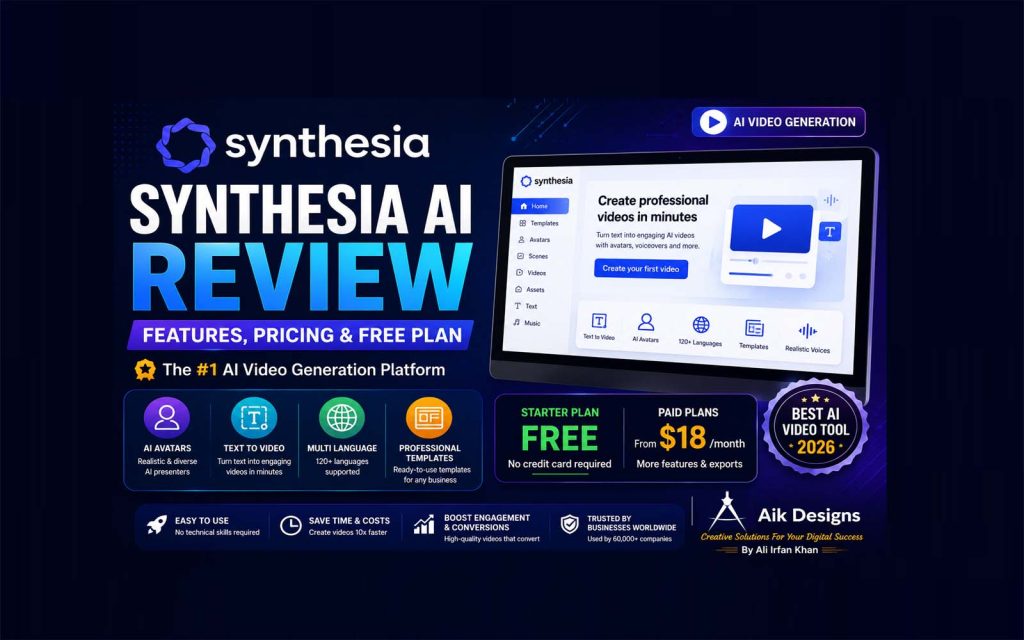
Everything you need to know about Synthesia’s Ai avatars, the free plan’s real limits, and how its pricing compares to the rest of the market — in one place.
⚡ Quick Facts
🎬 What it does: Turns a written script into an Ai avatar video
💵 Free plan: Limited monthly minutes, watermarked, no download
💳 Paid plans start around: $29/month (billed monthly)
🗣️ Languages: 140+ supported for voice and dubbing
🧑💼 Best for: Corporate training, onboarding, product explainers
📑 Table of Contents
- What Is Synthesia Ai?
- Synthesia Ai Text To Video: How It Works
- Synthesia Pricing Explained
- Synthesia Free Ai Video Generator: What You Actually Get
- Synthesia Free Ai Avatar Generator
- Key Features Worth Knowing
- Pros And Cons
- Is Synthesia One Of The Best Ai Tools For Video?
- Who Should Actually Use Synthesia
- FAQs
Synthesia Ai is a video platform that converts a written script into a video presented by a realistic Ai avatar — no camera, actor, microphone, or editing software required. You type or paste text, pick a presenter and voice, and Synthesia generates a finished video in minutes. It’s built mainly for business use cases like training, onboarding, and product explainers, and it offers a free tier alongside three paid plans. Below is a full breakdown of how it works, what it costs, and where it fits compared to other Ai video tools.
1. What Is Synthesia Ai?
Synthesia Ai is an Ai video generation platform that replaces traditional filming with digital avatars. Instead of hiring a presenter, renting a studio, and editing footage, you write a script, choose from a library of Ai presenters, and the platform generates a video where the avatar speaks your text with matching lip movements and natural gestures.
It’s positioned as a business communication tool rather than a creative video editor. Companies use it for internal training modules, product walkthroughs, onboarding videos, and multilingual company announcements, since a single script can be turned into videos in dozens of languages without re-filming anything.
ℹ️ Good to know: Synthesia does not generate cinematic or highly creative video content. It’s optimized for structured, presenter-led communication — think training slides with a talking avatar, not a short film.
2. Synthesia Ai Text To Video: How It Works
The core workflow behind Synthesia is straightforward, and it’s the same whether you’re on the free plan or Enterprise. Here’s the step-by-step process:
Step 1: Sign Up And Choose A Starting Point
Create an account, then either pick a ready-made template (training video, product demo, announcement) or start from a blank canvas.
Step 2: Select An Avatar And Voice
Browse the avatar library, filter by look, tone, and language, and select a presenter and voice that fits the video’s audience.
Step 3: Write Or Paste The Script
Type the script directly into the editor, or paste text from an existing document. The avatar’s lip-sync and pacing generate automatically from that text — this is the “text to video” step that gives the tool its name.
Step 4: Add Slides, Screens, Or Brand Elements
Drop in background slides, screen recordings, logos, or brand colors around the avatar, similar to building a slide deck.
Step 5: Generate, Review, And Export
Render the video, preview it, adjust wording or pacing if needed, then download it (paid plans) or share it through a hosted link.
⚠️ Note: Rendering isn’t instant — longer or more complex videos can take several minutes to process before they’re ready to preview.
3. Synthesia Pricing Explained
Synthesia Pricing runs on four tiers, split by monthly video minutes, avatar access, and business features rather than by a flat feature list. Here’s how the plans compare:
| Plan | Price | Video Minutes | Avatars | Downloads |
|---|---|---|---|---|
| Basic (Free) | $0 | ~10 min/month | 9 stock avatars | No (watermarked) |
| Starter | ≈$29/month (lower on annual billing) | ~10 min/month | 125+ avatars | Yes |
| Creator | ≈$89/month (lower on annual billing) | ~30 min/month | 180+ avatars, custom avatars | Yes, plus API access |
| Enterprise | Custom quote | Unlimited (fair use) | Full library, unlimited custom avatars | Yes, plus SSO/SCORM |
Prices and minute allowances change periodically, so treat the table above as a snapshot rather than a locked-in figure — always confirm current numbers on Synthesia’s own pricing page before subscribing.
✅ Tip: Annual billing typically brings the Starter and Creator plans down noticeably compared to paying month-to-month, so if you already know you’ll use it long-term, annual billing usually saves money.
What Drives The Real Cost
The headline monthly price isn’t the whole story. Video minutes reset every month and unused minutes don’t roll over, custom avatars and some enterprise features carry extra costs, and each additional editor seat generally needs its own paid subscription rather than a discounted add-on.
4. Synthesia Free Ai Video Generator: What You Actually Get
Synthesia’s free Basic plan is a real, no-credit-card test drive rather than a stripped demo. It’s enough to evaluate whether the platform fits your workflow before paying anything.
Synthesia Ai Video Generator Free: The Fine Print
On the free tier you get a limited number of video minutes each month, access to a small set of stock avatars, and the ability to generate a finished video without entering payment details. The catch is that every export carries a Synthesia watermark and there’s no direct download — videos are only shareable through a hosted link.
| Free Plan Includes | Free Plan Does Not Include |
|---|---|
| Monthly video minutes to test the editor | Watermark-free exports |
| 9 stock Ai avatars | Direct video download |
| Basic script-to-video editor | Custom personal avatars |
| No credit card required | API access, SSO, brand kits |
In practice, the free plan is enough for two or three short videos to judge avatar realism, voice quality, and how natural the lip-sync looks — after that, most people who like the results move to Starter for downloads and a bigger avatar library.
5. Synthesia Free Ai Avatar Generator
It’s worth separating two different things people search for: choosing from Synthesia’s existing stock avatars (free) versus building a custom avatar of yourself or a colleague (paid).
On the free plan, you can select and use any of the 9 included stock avatars at no cost — that part genuinely works as a free Ai avatar generator experience for testing. What isn’t free is a personal, custom-built avatar trained on your own recorded footage. That feature requires a paid Starter or Creator plan, plus a short review and approval period before the avatar is ready to use.
🚫 Caution: Don’t confuse “free avatar” with “free custom avatar.” Stock avatars are free to use; a personal avatar built from your own likeness is a paid add-on, and production can take days rather than minutes.
6. Key Features Worth Knowing
Beyond the core script-to-video workflow, a few features shape whether Synthesia fits a given use case:
Language and dubbing: Synthesia supports 140+ languages for voiceovers, making it useful for teams that need the same training video localized for multiple regions without re-filming.
PowerPoint import: Existing slide decks can be imported directly, converting speaker notes into a script and keeping the original slide design.
Screen recording and templates: Built-in screen recording and a library of pre-built templates speed up common formats like product demos and onboarding walkthroughs.
API access: Available on Creator and Enterprise plans, letting teams generate videos programmatically at scale.
7. Pros And Cons
| Pros | Cons |
|---|---|
| No filming, actors, or studio needed | Monthly minute caps can feel restrictive for high-volume creators |
| 140+ languages for fast localization | Custom avatars and SCORM export are gated behind higher tiers |
| Large, realistic avatar library | Not built for cinematic or highly creative video |
| Genuine no-card free tier for testing | Each extra team seat generally needs its own full subscription |
8. Is Synthesia One Of The Best Ai Tools For Video?
For structured, presenter-led business video — training, onboarding, multilingual explainers — Synthesia is regularly ranked among the Synthesia Best Ai Tools comparisons for a reason: the avatar realism and language coverage are hard to match. For other kinds of video work, though, it’s worth knowing where competitors fit better.
| Tool | Best For |
|---|---|
| Synthesia | Corporate training, onboarding, multilingual explainers |
| HeyGen | Wider language/accent coverage, social-style avatar clips |
| D-ID | Turning a single photo into a talking-head video cheaply |
| Colossyan | LMS-integrated training content |
| Veed | Full timeline editing beyond avatar-only videos |
9. Who Should Actually Use Synthesia
Synthesia makes the most sense for HR and L&D teams producing recurring training content, marketing teams that need the same explainer in several languages, and solo creators or small businesses that want a polished presenter video without production costs. It’s a weaker fit if your priority is highly creative, cinematic, or meme-style content — tools built around timeline editing or image-to-video generation will serve that better.
Also Read: FREE AI Text-To-Video Tools
10. FAQs
What is Synthesia Ai?
Synthesia Ai is a text-to-video platform that turns a written script into a professional-looking video presented by an Ai avatar, without a camera, microphone, or studio.
Is there a Synthesia free Ai video generator?
Yes. The free Basic plan gives new users a set number of video minutes each month with a limited avatar selection, a Synthesia watermark, and no downloads.
How much does Synthesia Pricing cost?
There are four tiers: a free Basic plan, a Starter plan around $29/month, a Creator plan around $89/month with more minutes and avatars, and a custom-quoted Enterprise plan.
Can I use Synthesia Ai text to video for free without watermarks?
No. Watermark-free, downloadable exports require at least the paid Starter plan; every free-tier export keeps the Synthesia watermark.
Does Synthesia offer a free Ai avatar generator for custom avatars?
Stock avatars are free to use on the Basic plan. A custom personal avatar built from your own recording requires a paid Starter or Creator plan plus a review period.
Is Synthesia one of the best Ai tools for business video?
For structured business content like training and onboarding, yes — it’s widely regarded as one of the leading Ai video tools due to its avatar realism and language coverage.
How many languages does Synthesia support?
Synthesia supports 140+ languages for voiceovers and dubbing, which is one of its biggest advantages for global teams.
Can I import a PowerPoint into Synthesia?
Yes, Synthesia can import PowerPoint files, keep the original slide design, and convert speaker notes into a video script automatically.
Does Synthesia offer API access?
API access is included on the Creator and Enterprise plans, allowing teams to generate videos programmatically at scale.
What happens if I go over my monthly video minutes?
On Starter and Creator plans, exceeding the monthly minute allowance can trigger overage charges or cap further generation until the next billing cycle; Enterprise plans avoid this with unlimited minutes under fair use.
Is Synthesia good for solo creators, or only businesses?
It works for solo creators producing structured content like tutorials or explainers, but its pricing and feature set are built primarily around business and team use cases.
Do unused video minutes roll over to the next month?
No. Minutes reset each billing cycle and unused minutes typically expire rather than carrying forward.
Final Thoughts
Synthesia Ai is one of the more mature options in the ai text to video generators, Ai avatar video space, especially for training, onboarding, and multilingual business communication. The free plan is genuinely useful for testing avatar quality before you commit, and Synthesia Pricing scales in a fairly predictable way as your video-minute needs grow. If your use case leans more creative or social-first, it’s worth comparing against alternatives like HeyGen or Veed — but for structured, presenter-led video, Synthesia remains a strong default choice.
📌 Related reading on the Aik Designs Blog: Explore our guides on AI Tools and SEO strategy, or check the SEO Blogs & Digital Marketing Resources hub for more comparisons.
About Author