A Practical Beginner’s Guide to Adopting AI Video Generators with MakeShot
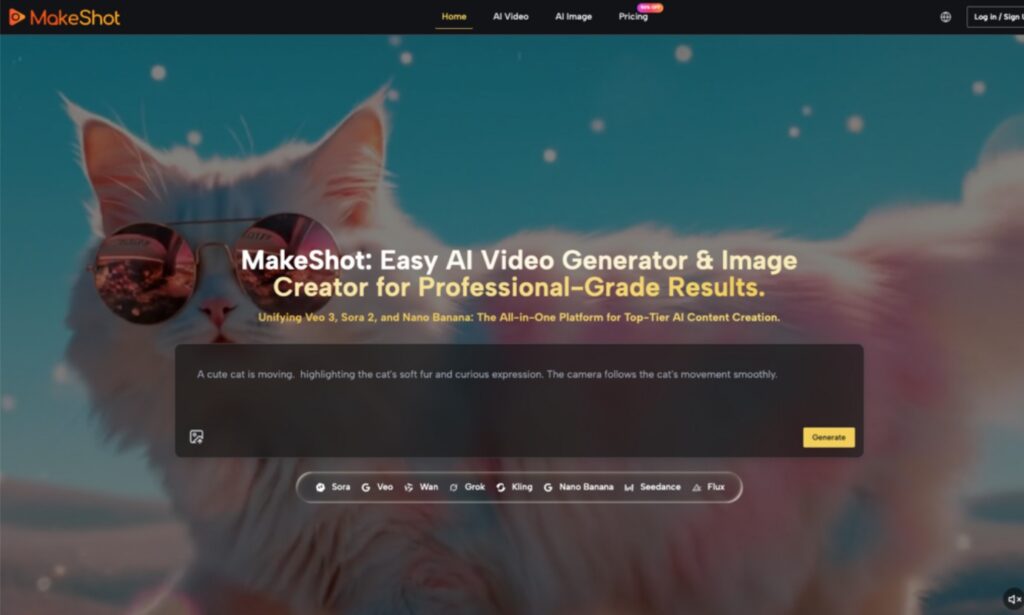
Here’s a grounded, beginner-friendly guide to adopting AI video and image tools without the hype. We’ll use MakeShot as a reference point—not as a pitch, but as a practical way to understand how different models (like Sora 2, Veo 3, and Nano Banana) can fit into an early-stage workflow. The theme is simple: start small, manage expectations, and use trial-and-error to find repeatable wins. Here’s how to make that work in practice.
Why the Real Barrier Isn’t Tech—It’s Expectations
Most first-time users of an AI Video Generator or AI Image Creator hit the same wall: What do I even prompt? Why are results inconsistent? How does this fit my current editing/design setup? Instead of treating AI as an “auto director,” treat it as a storyboard and previsualization assistant. A platform like MakeShot brings multiple models—Veo 3, Sora 2, Nano Banana Pro, Seedream, Grok—into one space. Think of them as different “assistants” on your set. Your job isn’t to force a perfect one-pass output. It’s to break production into parts: concept, boards, shot tests, selects—and then hand polished work back to your usual tools.
From Zero to One: Turn Big Bets Into Short Iterations
This starter workflow is designed for solo creators and small teams. The core idea: short cycles, side-by-side comparisons, and repeatable prompts.
- Define scope and limit variables
- Set a single-line outcome: “15-second product highlights video” or “4 e-commerce lifestyle images.”
- Lock parameters per round: resolution, duration, number of shots, number of reference images.
- This keeps your AI Video Generator and AI Image Creator tests comparable and replicable.
- Start with images to block storyboards, then move to video
- Use an AI Image Creator (e.g., Nano Banana or Seedream) to output 6–12 key frames.
- Don’t chase a poster-perfect look. Validate composition, lighting, props, and style.
- Multi-reference support (Nano Banana can use up to 4) helps nail consistency before video.
- Test videos in “shot blocks,” not a single long sequence
- Break your script into 3–5 segments: opener, product/subject moment, transition, end beat.
- Use Sora 2 for narrative flow and camera moves; use Veo 3 for realistic texture and audio bed.
- Keep each block 4–6 seconds. Assess rhythm and continuity first—then splice or regenerate.
- Standardize a prompt template to stabilize style
- Focus on camera language, lighting, materials, color tone, and verbs for motion.
- Build a “prompt skeleton.” Adjust only scene-specific details each round.
- This makes it easier to recover “that look” without starting over.
- Compare across models on one canvas
- With MakeShot, run the same prompt with Sora 2 and Veo 3 for video, Nano Banana and Seedream for images.
- Keep three contenders at a time. Too many versions blur judgment.
- Pick “best rhythm,” “best realism,” and “best creative” to merge in a second pass.
Common Missteps and What to Do Instead
Mistake 1: One long prompt for a perfect first try
- Reality: Long prompts amplify ambiguity.
- Fix: Split into five blocks: goal, style, camera, motion, constraints. Iterate per block.
Mistake 2: No reference images, unstable style
- Reality: Models can drift output between sessions or phrasing changes.
- Fix: Use an AI Image Creator first to lock look. Nano Banana’s multiple references help maintain character/product fidelity. Use those frames to anchor video.
Mistake 3: Ignoring audio until the end
- Reality: Perceived “production value” heavily depends on sound.
- Tip: Veo 3’s native audio can give you a workable ambience/dialogue pass early. Let sound guide pacing before a full mix or VO.
Mistake 4: Copy-pasting traditional blocking directly to AI
- Reality: Complex camera moves plus layered actor actions can reduce success rate.
- Fix: Split complex actions into two separate shots and connect with a transition.
Choosing Models: Balance Narrative, Realism, and Speed
Different models excel at different things. Clarify priorities and choose accordingly.
Video: Sora 2 vs Veo 3
- Sora 2: Better narrative continuity and scene extension. Useful for intros/outros and story-driven beats.
- Veo 3: Stronger photorealism and on-the-fly soundscapes. Useful for product details, environmental mood, or segments where audio cues matter.
Images: Nano Banana vs Seedream (with Grok for ideation)
- Nano Banana: Hyper-realism for e-commerce main images, lifestyle composites, and material fidelity. Multi-reference keeps characters/products consistent.
- Seedream: Fast generation for style exploration and early boards.
- Grok: Idea generator—throw prompts and collect unusual compositions or variants, then refine with Nano Banana.
Closing the Loop in One Place: Why a Unified Space Helps
The real advantage of a unified studio like MakeShot is side-by-side comparison and easier replication:
- Run the same prompt across Sora 2, Veo 3, Nano Banana, and Seedream in a single project.
- View results together, keep the winners, discard the rest, and combine strengths.
- Use reference images and prompt templates to lock brand characters, product angles, and lighting styles.
- When you need a quick sound bed to evaluate pacing, Veo 3’s native audio helps you decide earlier in the process.
This doesn’t replace your edit suite. It reduces context switching and shortens iteration cycles.
Beginner FAQs: From Understanding to Action
- How advanced do my prompts need to be?
- Clarity beats adjectives. Spell out camera and action. A consistent template matters more than poetic wording.
- Start with images or jump straight to video?
- Start with images. An AI Image Creator lets you lock look and composition cheaply, then you pass those anchors to video for higher success.
- Do I need both Sora 2 and Veo 3 right away?
- Not at first. Generate the same shot in both: judge narrative continuity vs realism + sound. Favor the one that fits your content type.
- Won’t mixing models create chaos?
- It can—unless you define a project “style card” with color palette, materials, camera rules, and typography. Change one or two variables per round.
Two Brief Field Notes
- In a fast-turn e-commerce task, I started with Nano Banana for hero and lifestyle frames. My early prompts were flowery and inconsistent. Once I cut them down to “camera + materials + lighting,” plus two reference images, style stabilized quickly.
- For a 20-second feature demo, I used Sora 2 for narrative shots and Veo 3 for product close-ups with native audio. The sequence felt tighter, and the sound bed helped me time cuts without over-editing.
These aren’t headline-grabbing wins—but they kept weekly output steady and improvable. For new teams, that consistency matters more than the occasional miracle.
Key Takeaways to Revisit
- Put the AI Video Generator and AI Image Creator in the exploration and mid-production stages; keep fine polish in traditional tools.
- Assign roles: Sora 2 for narrative continuity; Veo 3 for realism and audio; Nano Banana for hyper-real image consistency; Seedream for quick trials; Grok for creative ideation.
- Use reference images and a prompt skeleton to maintain style. Favor small, tracked comparisons over big, risky leaps.
Final Note: Treat AI as Your Storyboard and Material Factory
Early adoption is less about secret features and more about turning each generation into a replayable experiment. A unified space like MakeShot helps you compare models, anchor style with references, and evaluate pacing with early audio—so you spend less time shuttling between tools and more time making creative decisions. Aim for a smooth, repeatable process first; quality grows naturally from there.
About Author